
Learn how to create and pre-fill pay runs with details from Timesheets in Payroller
Learn how to create and pre-fill pay runs with details from Timesheets in Payroller with our simple guide below.
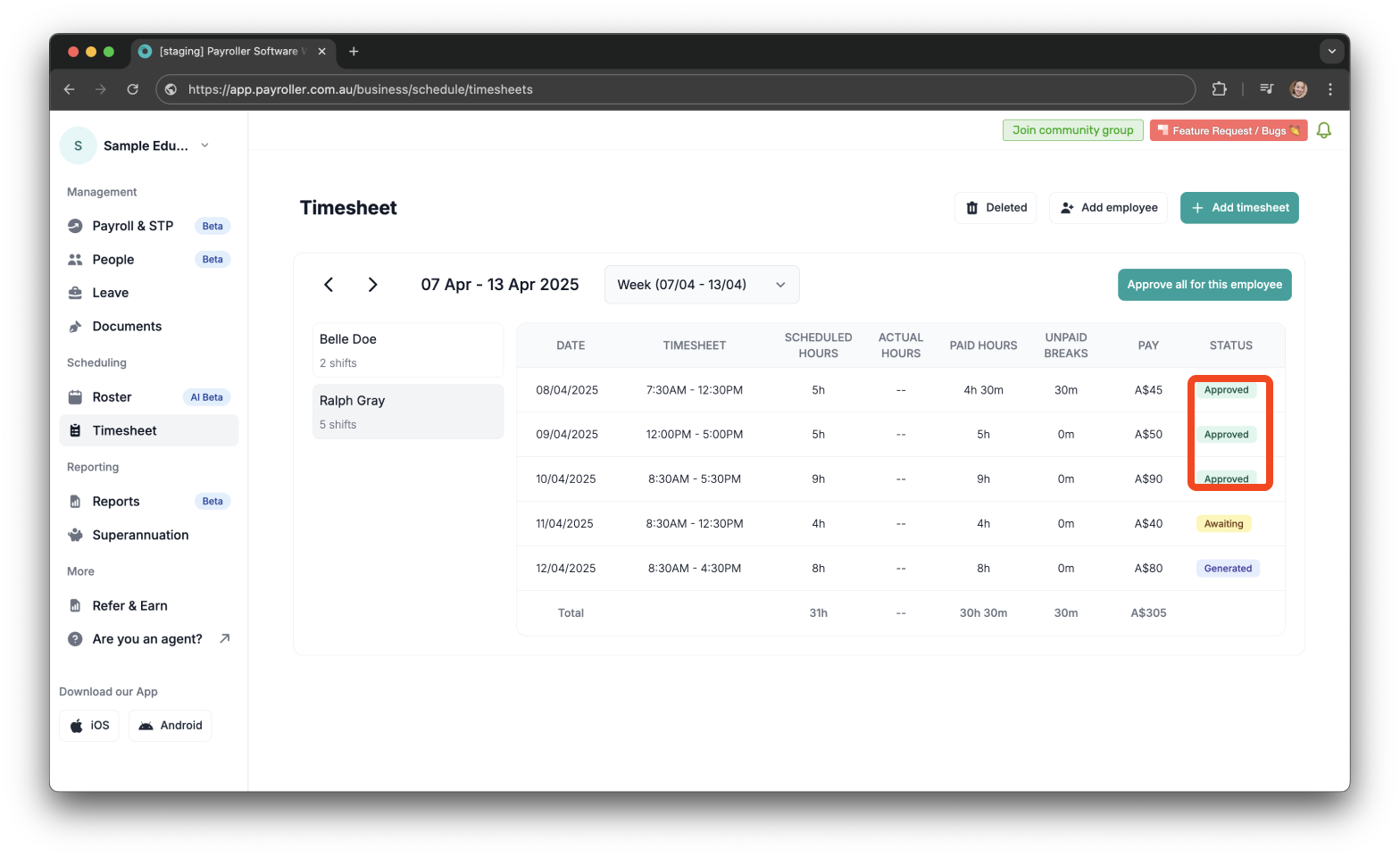
Before starting a pay run, ensure that you have approved the timesheets for the relevant period.
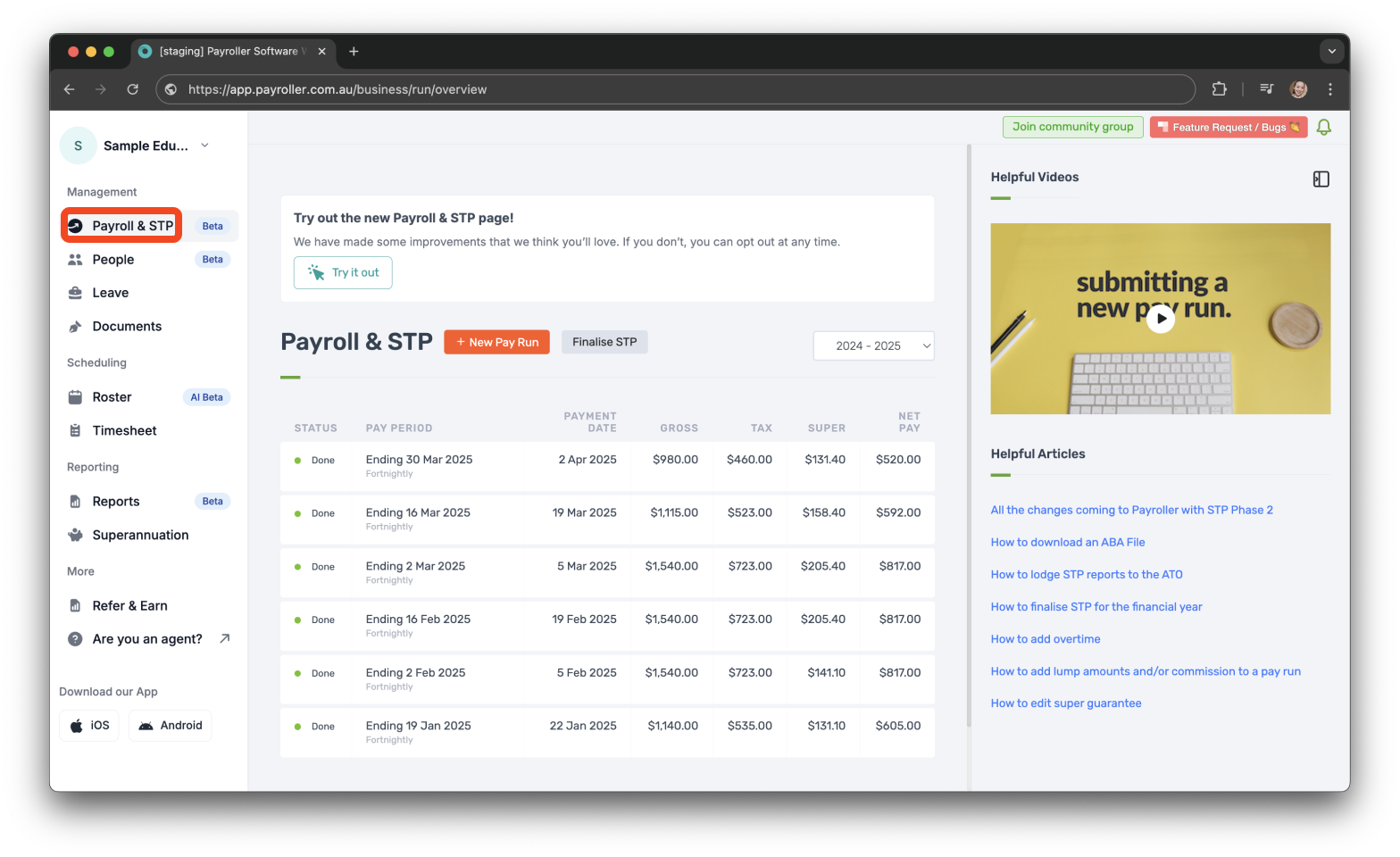
Step 1: Navigate to ‘Payroll & STP’.
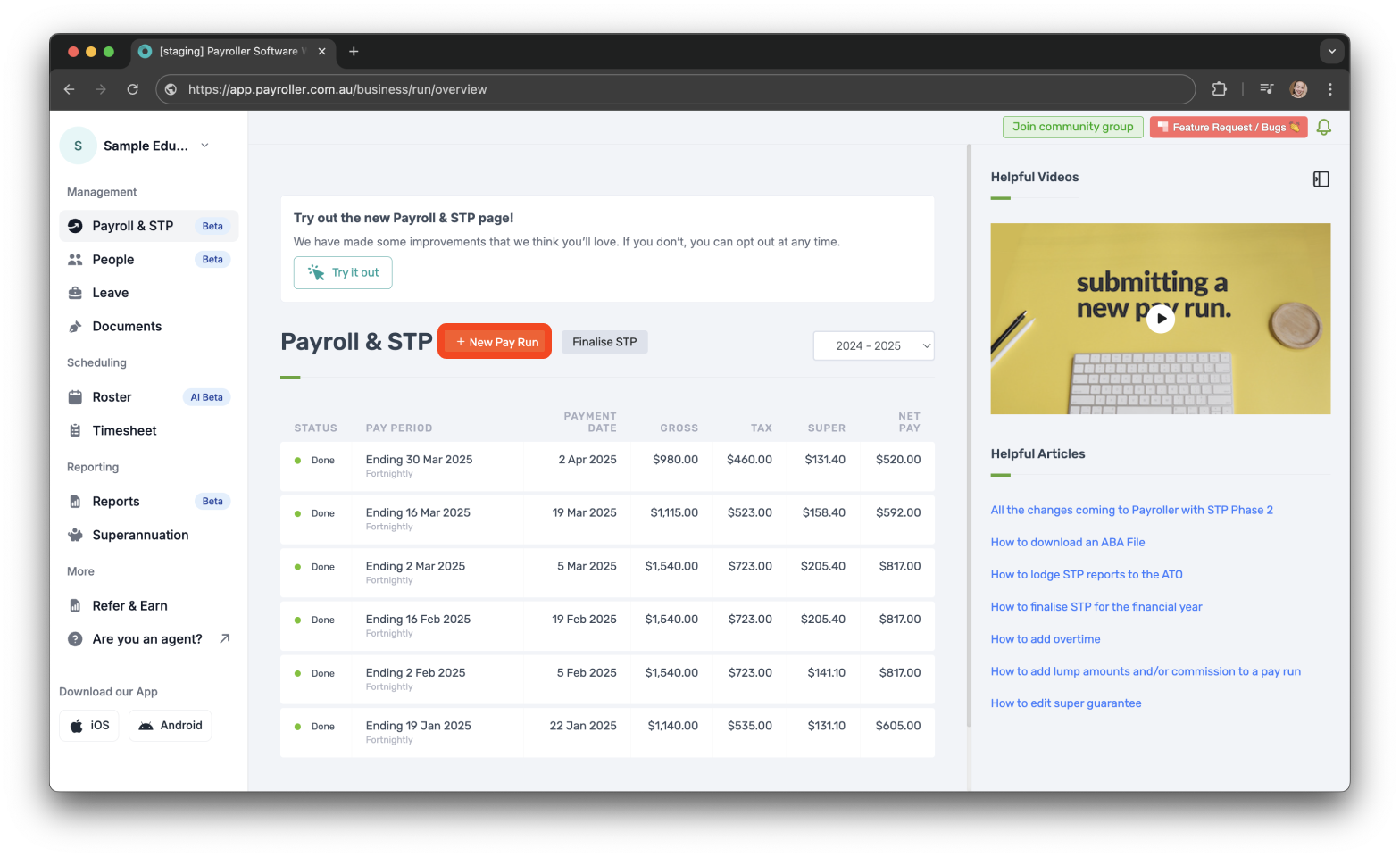
Step 2: Click ‘+ New Pay Run’.
Step 3: Select the correct pay period.
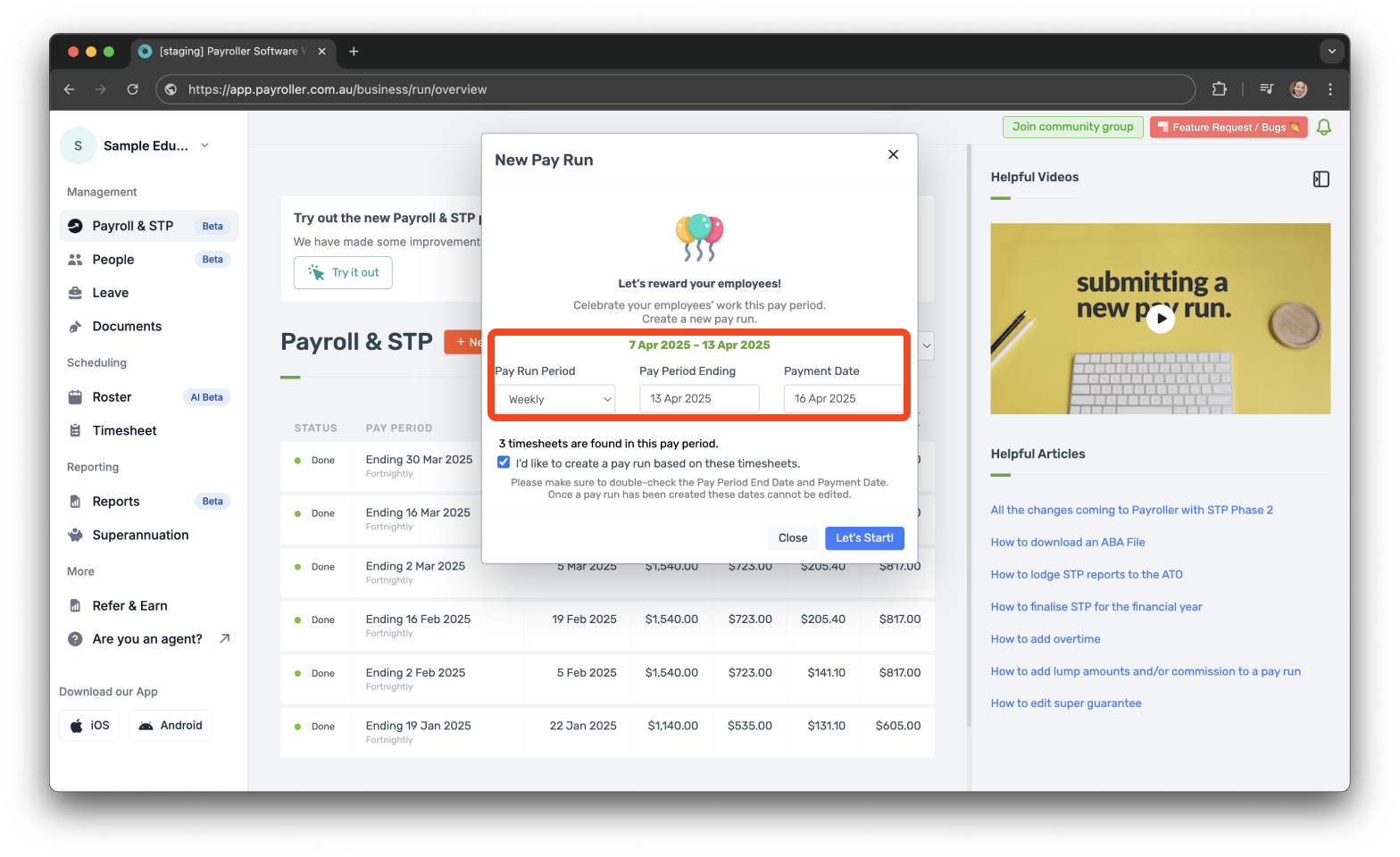
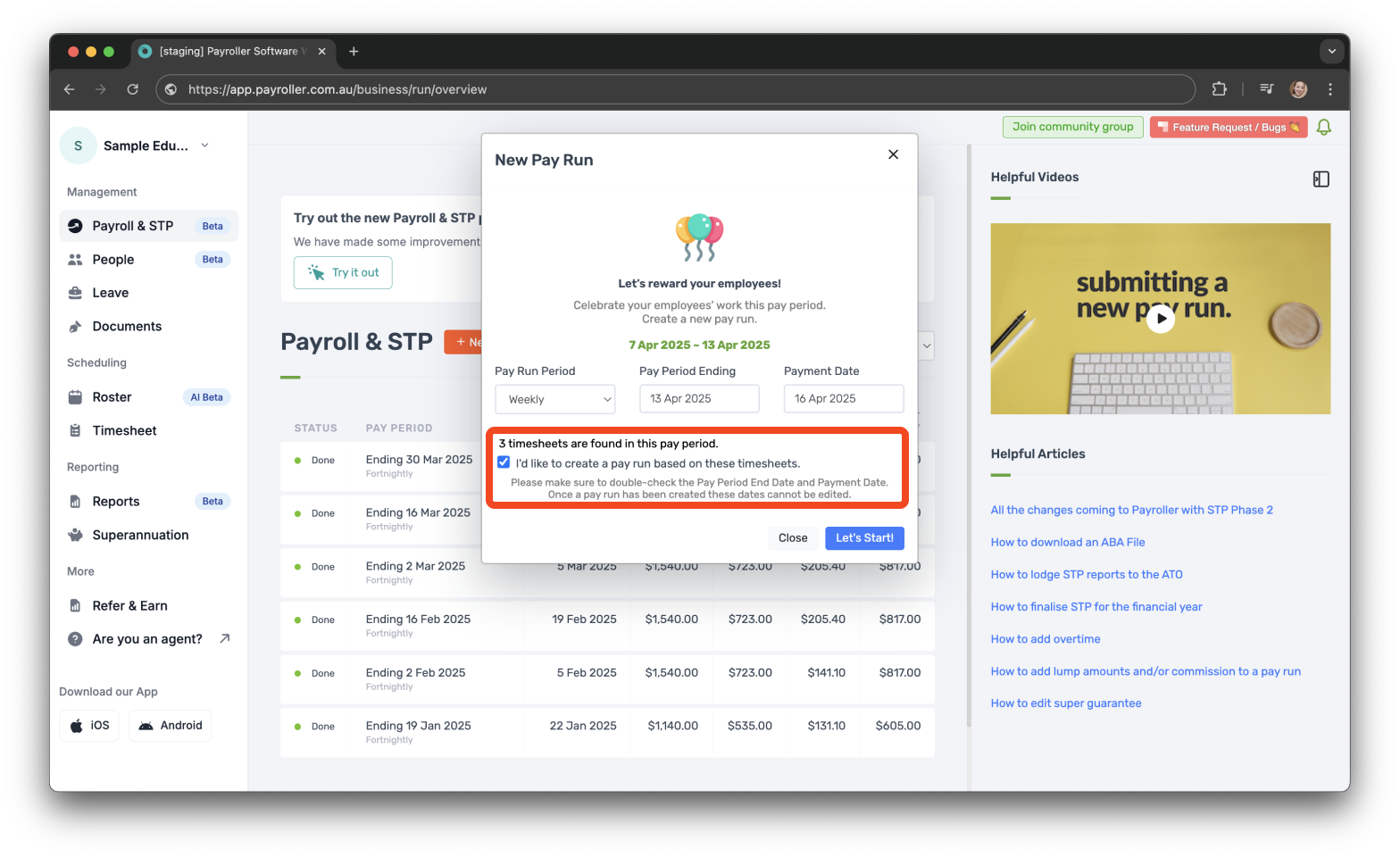
Step 4: Make sure the checkbox labeled ‘I’d like to create a pay run based on these timesheets’ is ticked.
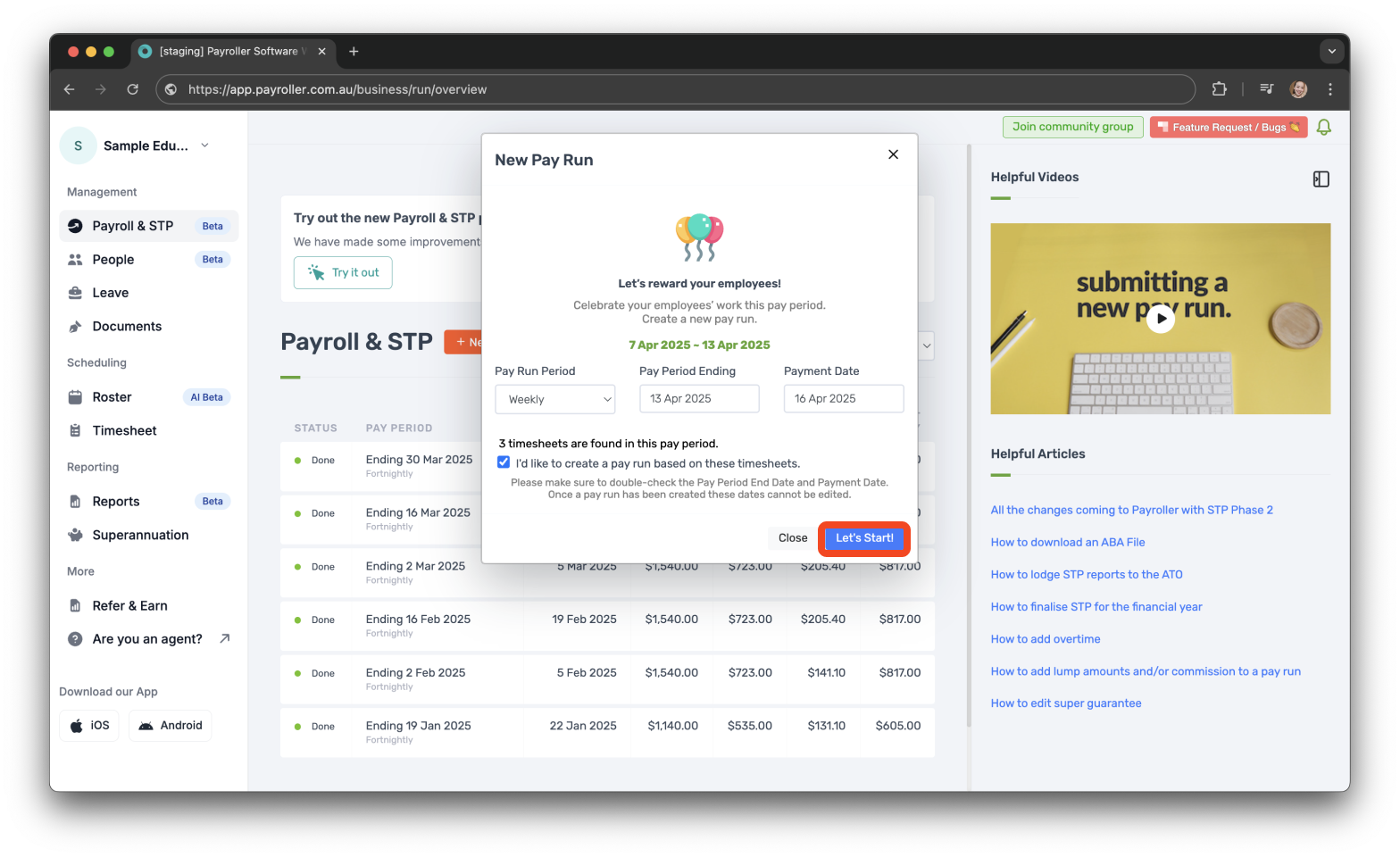
Step 5: Click ‘Let’s Start’.
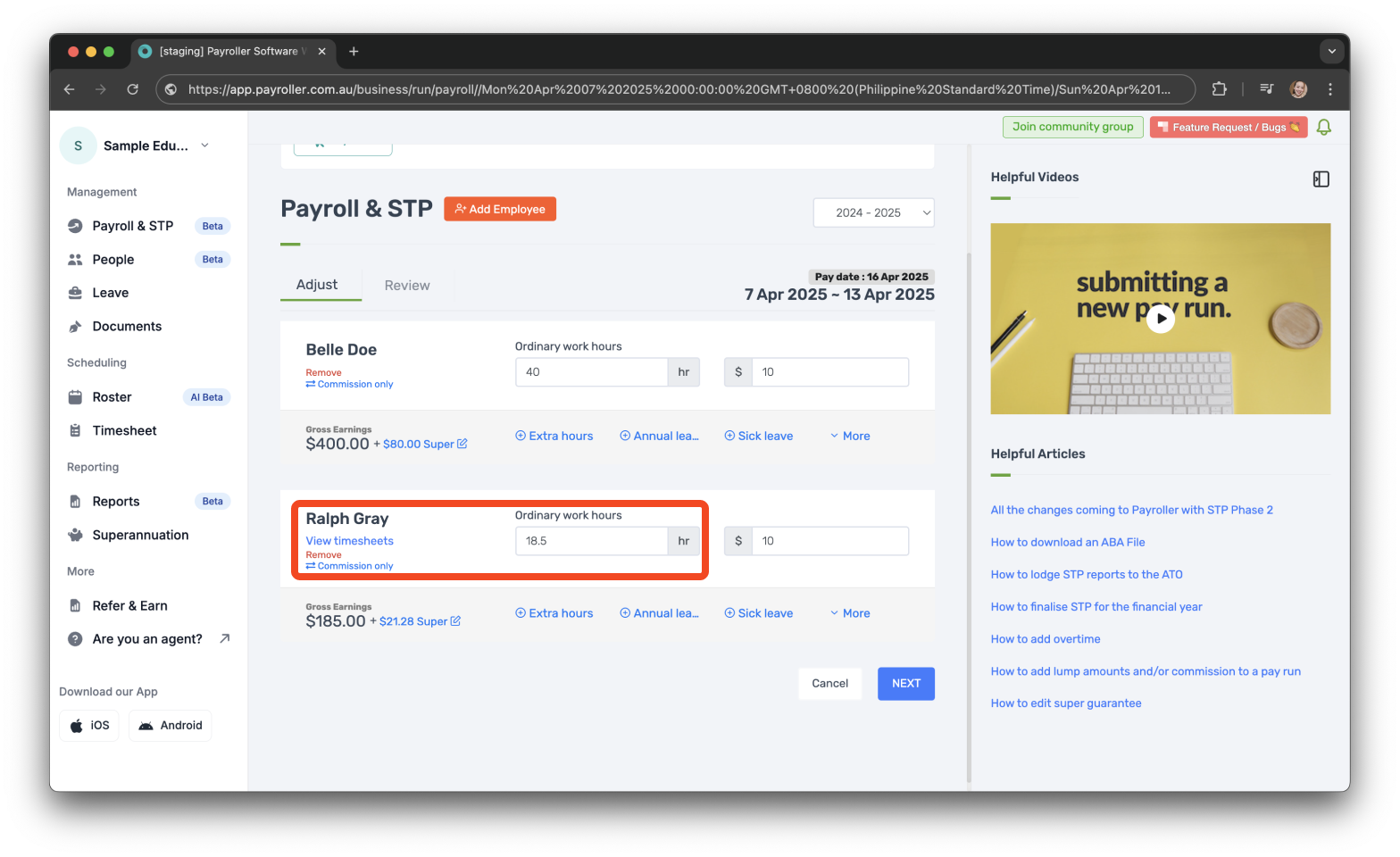
The approved timesheet hours will be automatically allocated to Ordinary work hours.
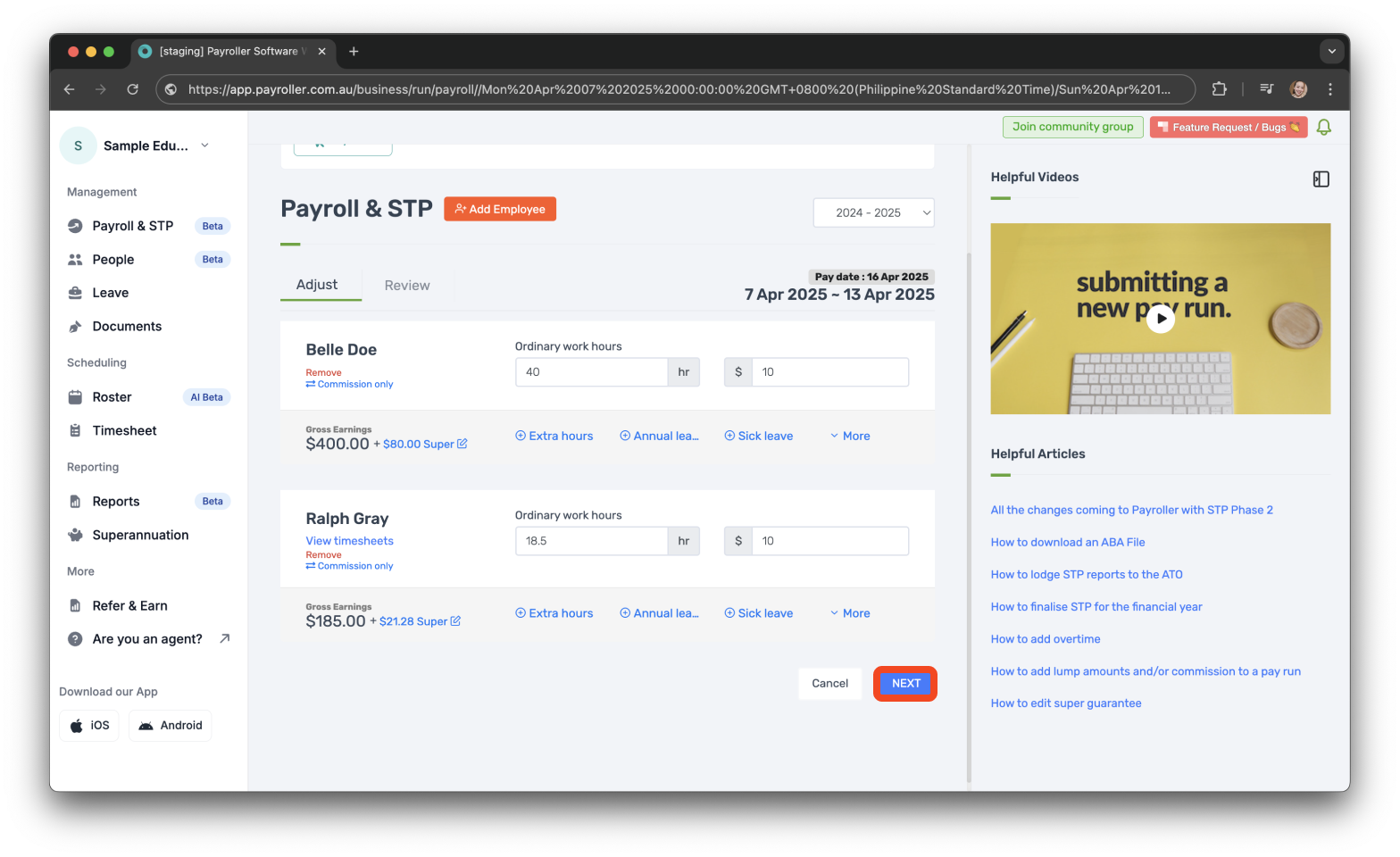
Step 6: Click ‘Next‘ to proceed as normal.
Learn how to complete other timesheets and rosters functions on Payroller with our other simple guides:
Discover more tutorials for using Payroller
Sign up to Payroller for free timesheets and online rostering solutions.
Access all Payroller features including single touch payroll (STP), staff scheduling and timesheets in web app and mobile app with a Payroller subscription.
Learn more in our Subscription FAQs.