
Learn how to allow Annual leave and Sick leave requests in Payroller
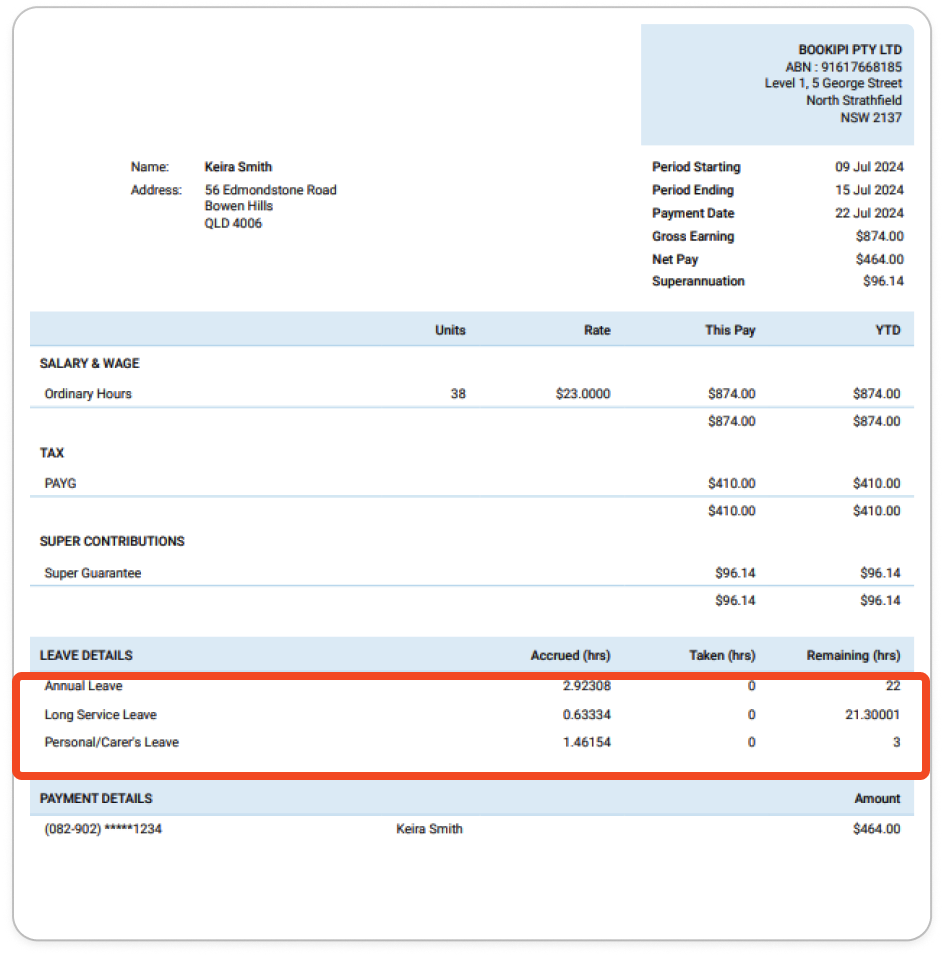
Learn how to allow Annual leave and Sick leave requests in Payroller with our simple guide below. Once enabled, annual and sick leave balances will be displayed on employee payslips.
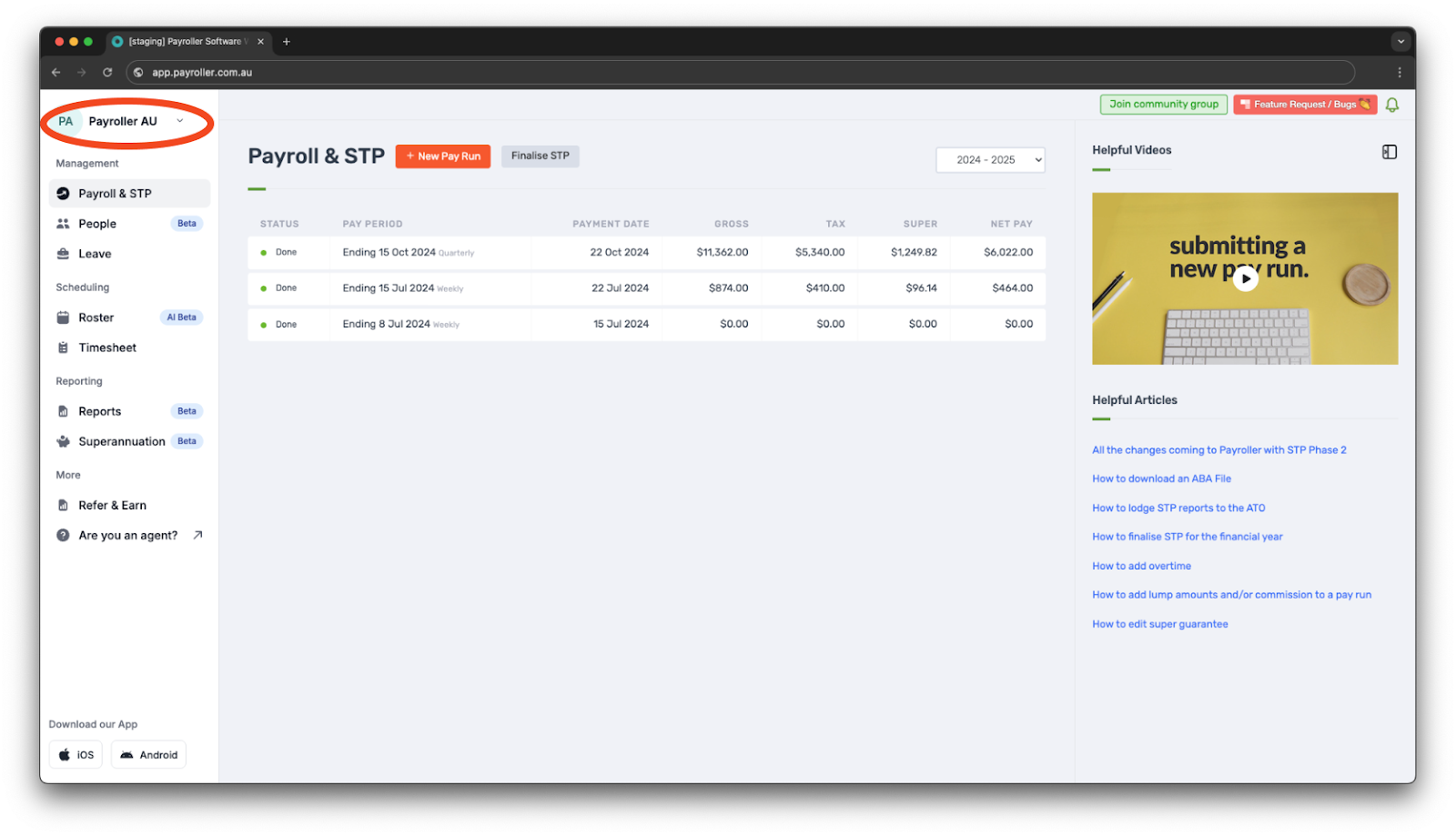
Step 1: Open your profile in the top left corner.
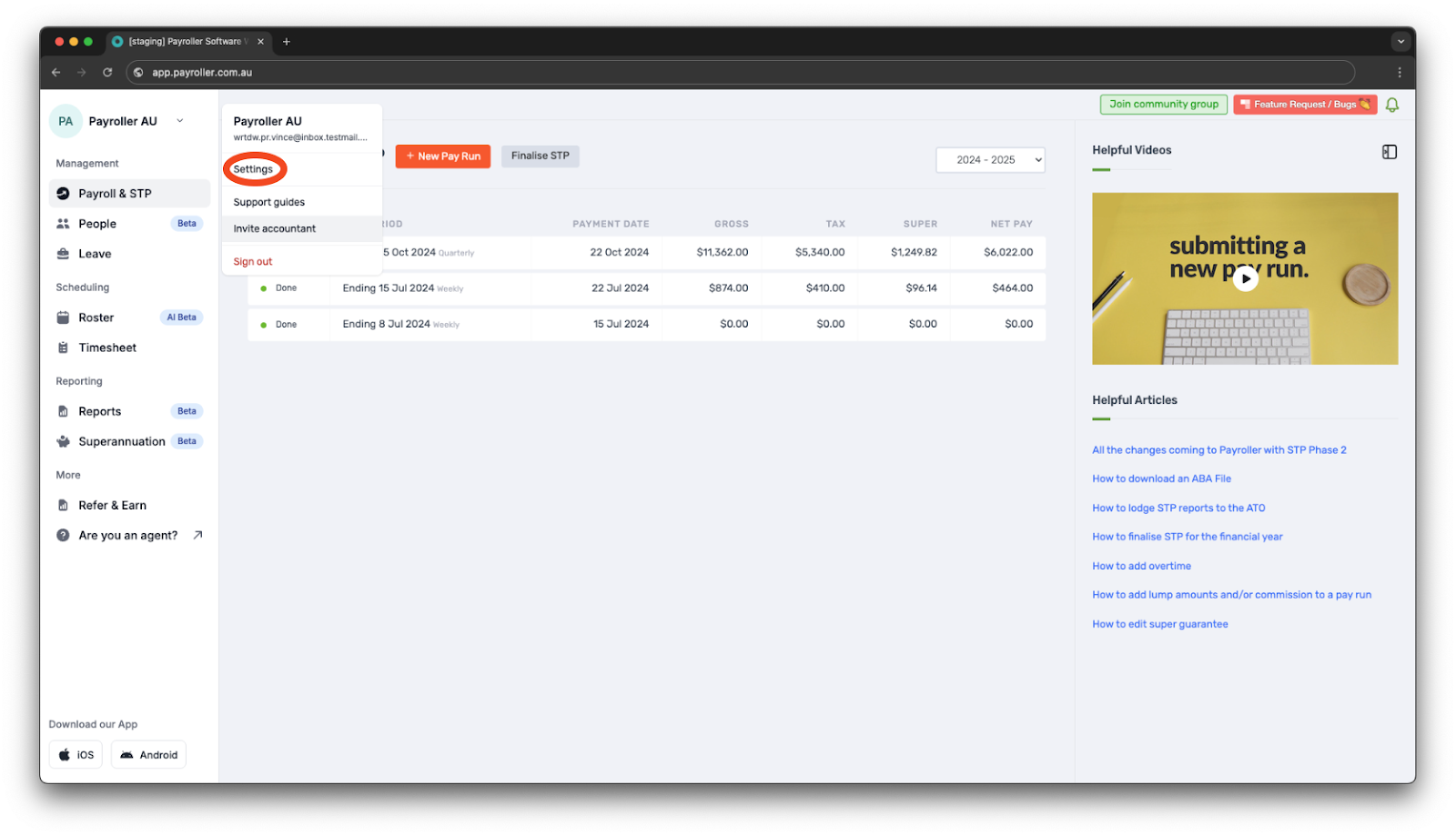
Step 2: Click ‘Settings’.
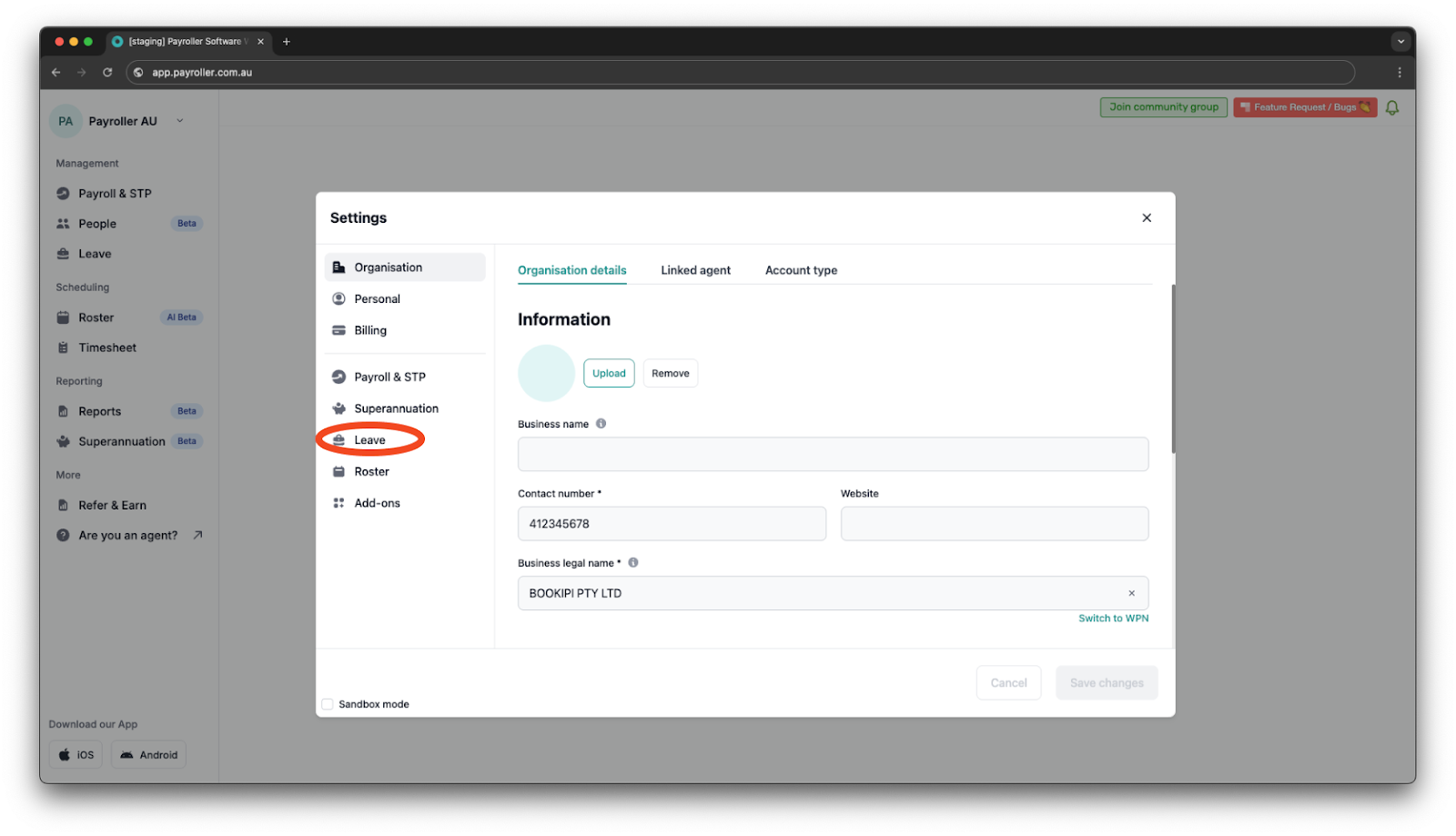
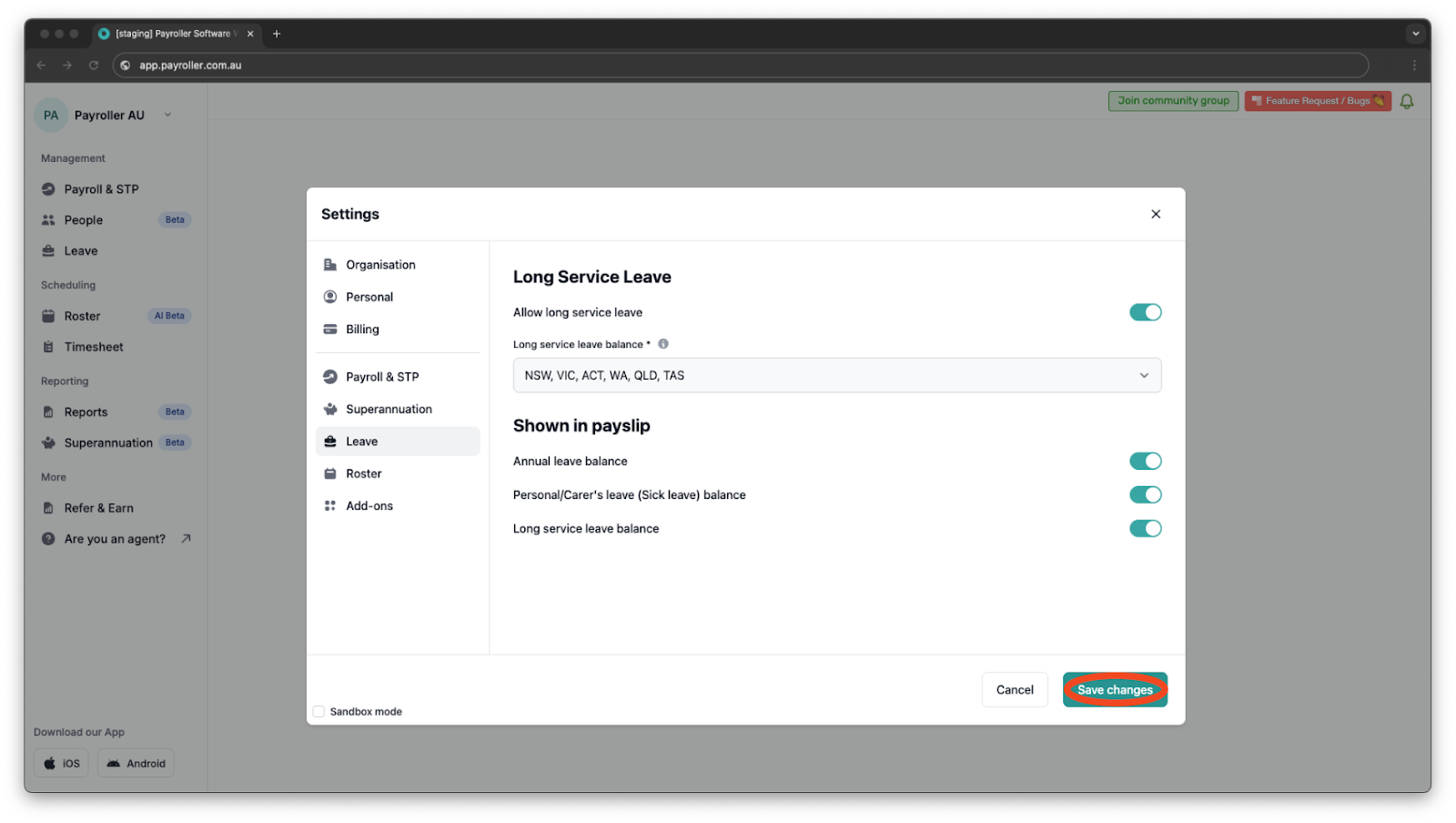
Step 3: Go to ‘Leave’.
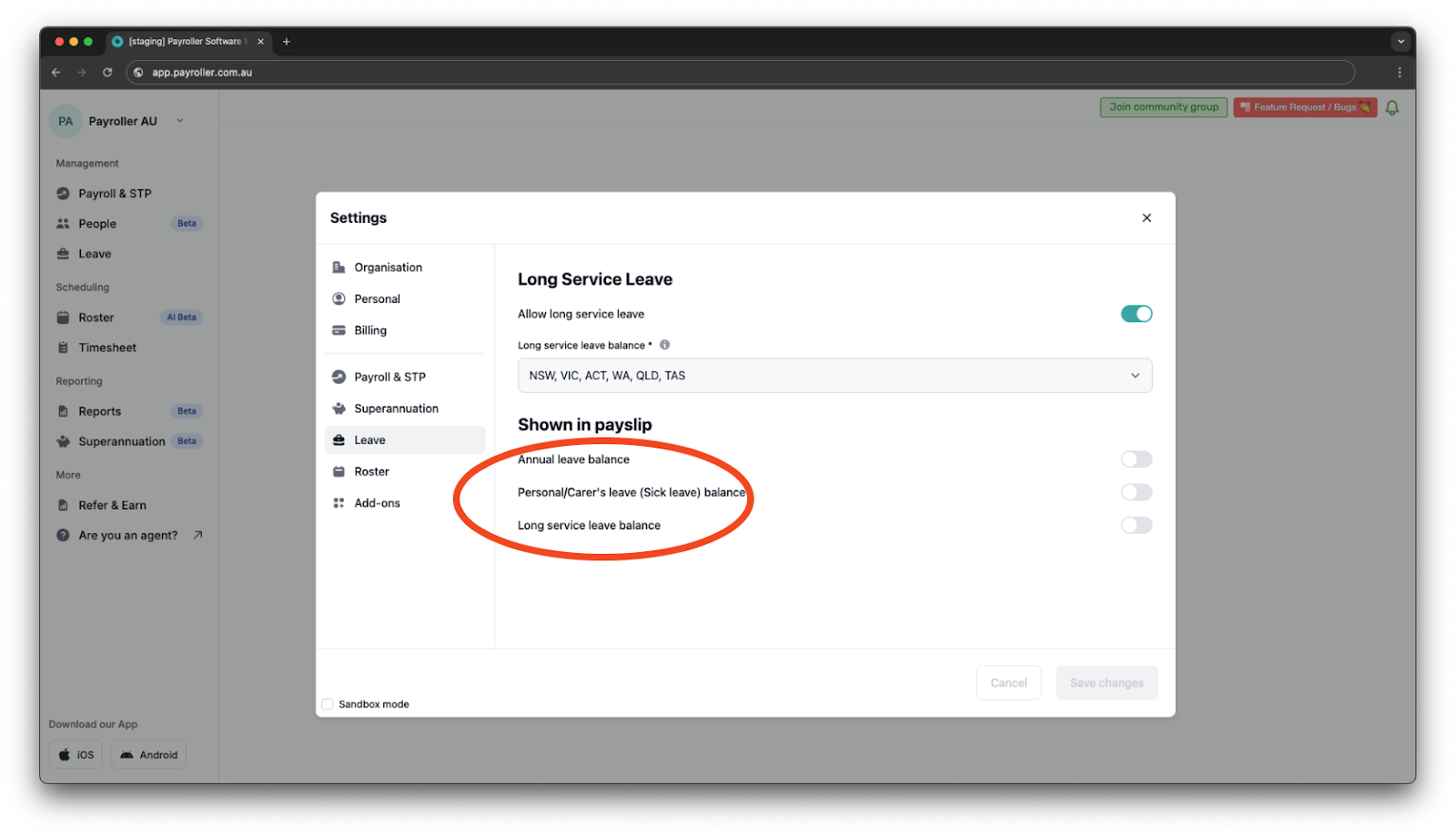
Step 4: Choose the leave type to display on your payslips.
Step 5: Click ‘Save’.
Your employee leave balances will now show on their payslips.
Learn how to make changes to your business details and edit default settings for pay runs with our other simple guides below:
Changes to your business details in Payroller
-
How to update your business details including name, address, and contact number
-
How to view or change your ABN (Australian Business Number) in Payroller
Changes to default pay run settings
Changes to default payslip settings
Discover more tutorials & get the most out of using Payroller
Learn how to change your user settings in Payroller with our easy user guides.
Try Payroller for free and get access to all features in web app and mobile app with a Payroller subscription. Read our Subscription FAQs.