
Learn how to fix the ‘Phone number is required’ error when submitting an STP in Payroller
Learn how to fix the ‘Phone number is required’ error when submitting an STP in Payroller with our simple guide below.
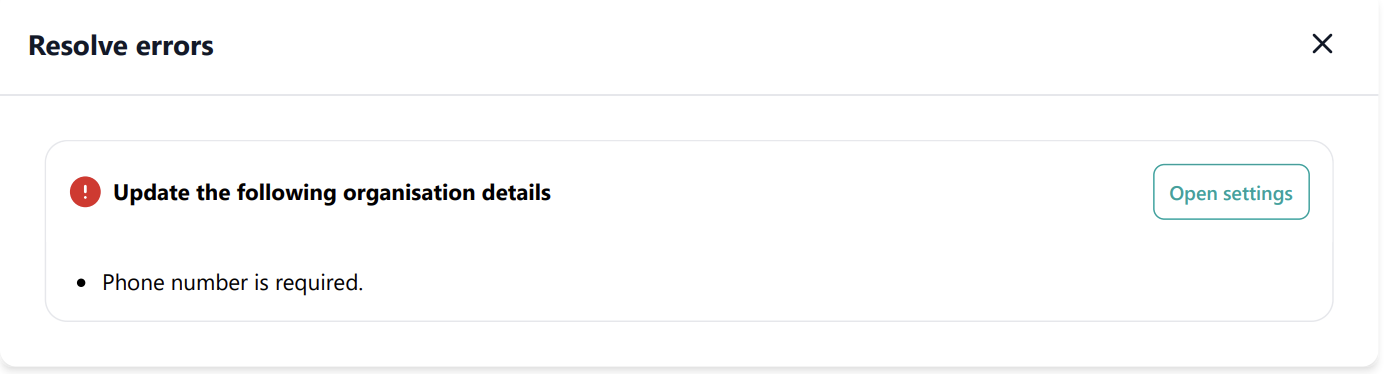
When you see the error ‘Phone number is required’ upon submitting an STP, please check your Settings to ensure a valid contact number is entered for STP.
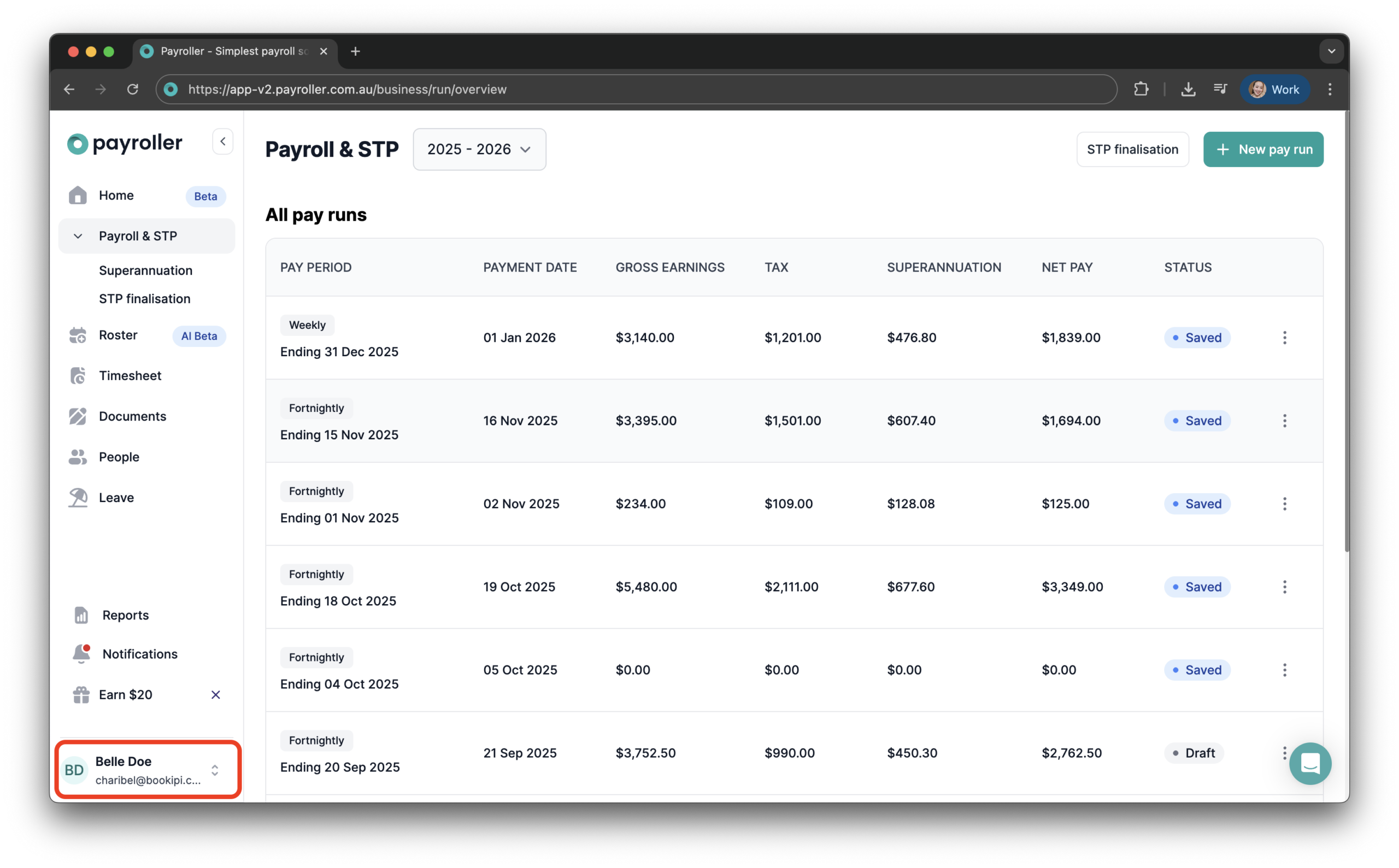
Step 1: Click your company name in the upper or lower-left corner of the screen.
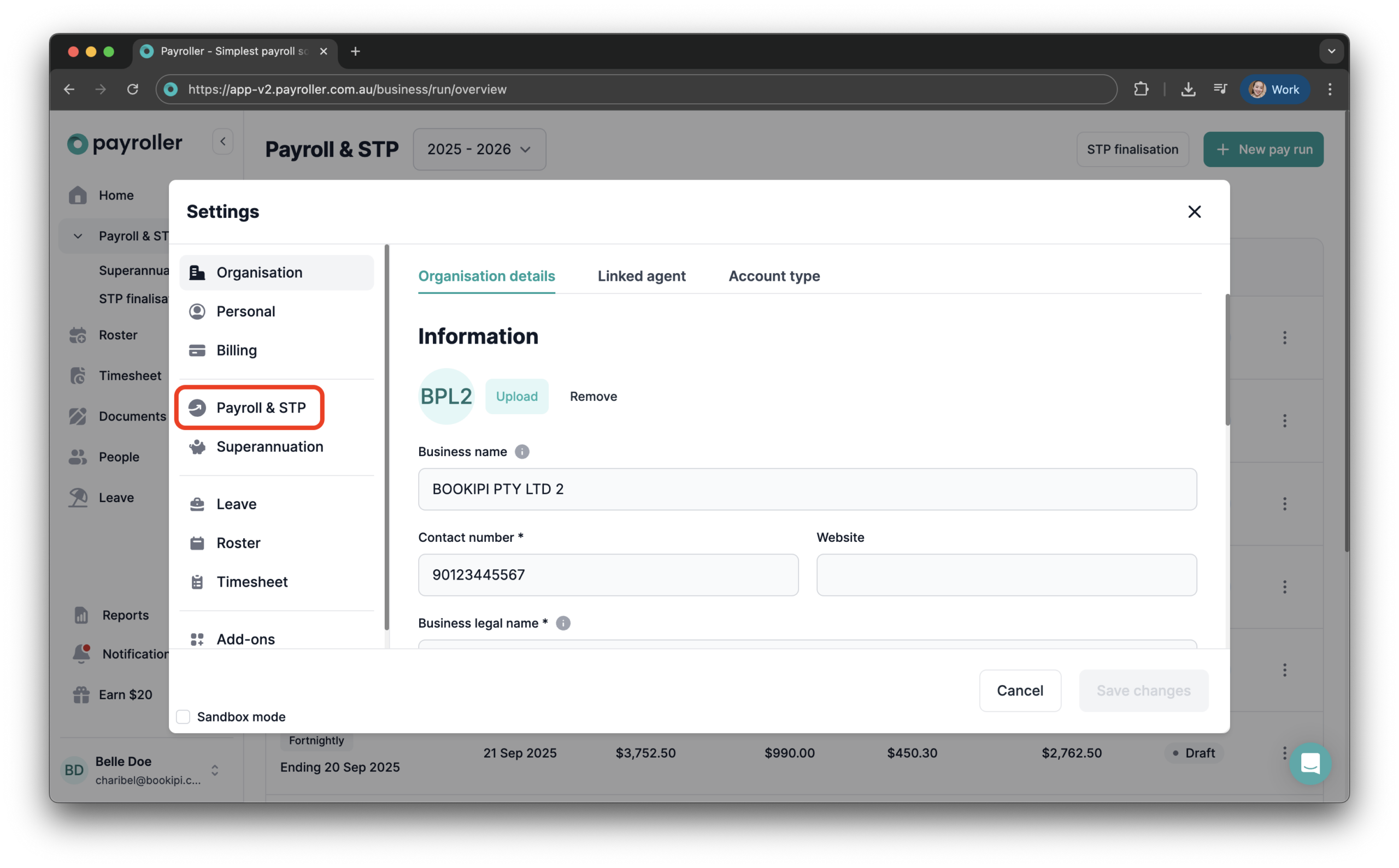
Step 2: Select ‘Settings’.

Step 3: Go to ‘Payroll & STP’.
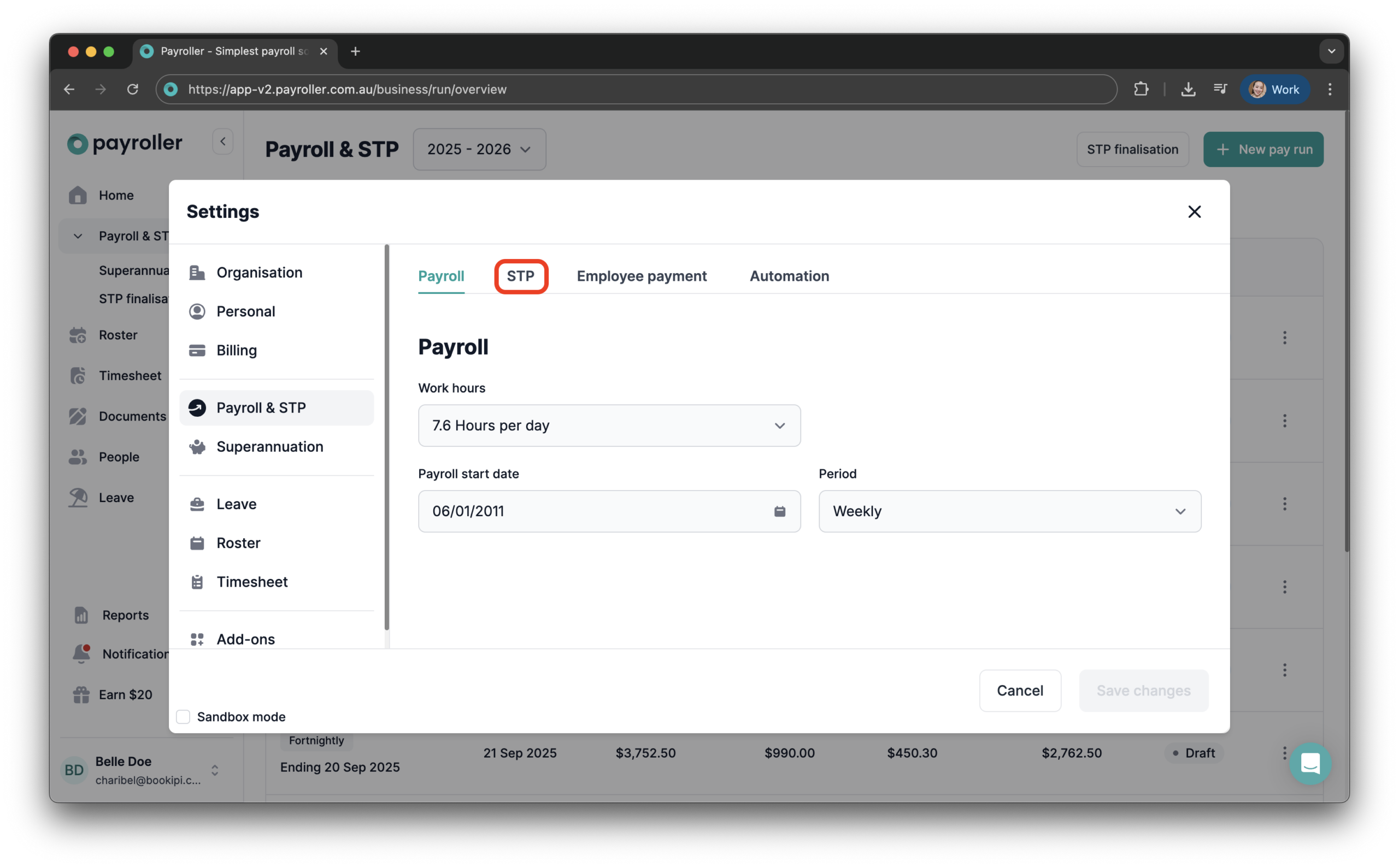
Step 4: Select ‘STP’.
Step 5: Click on ‘Disable’.
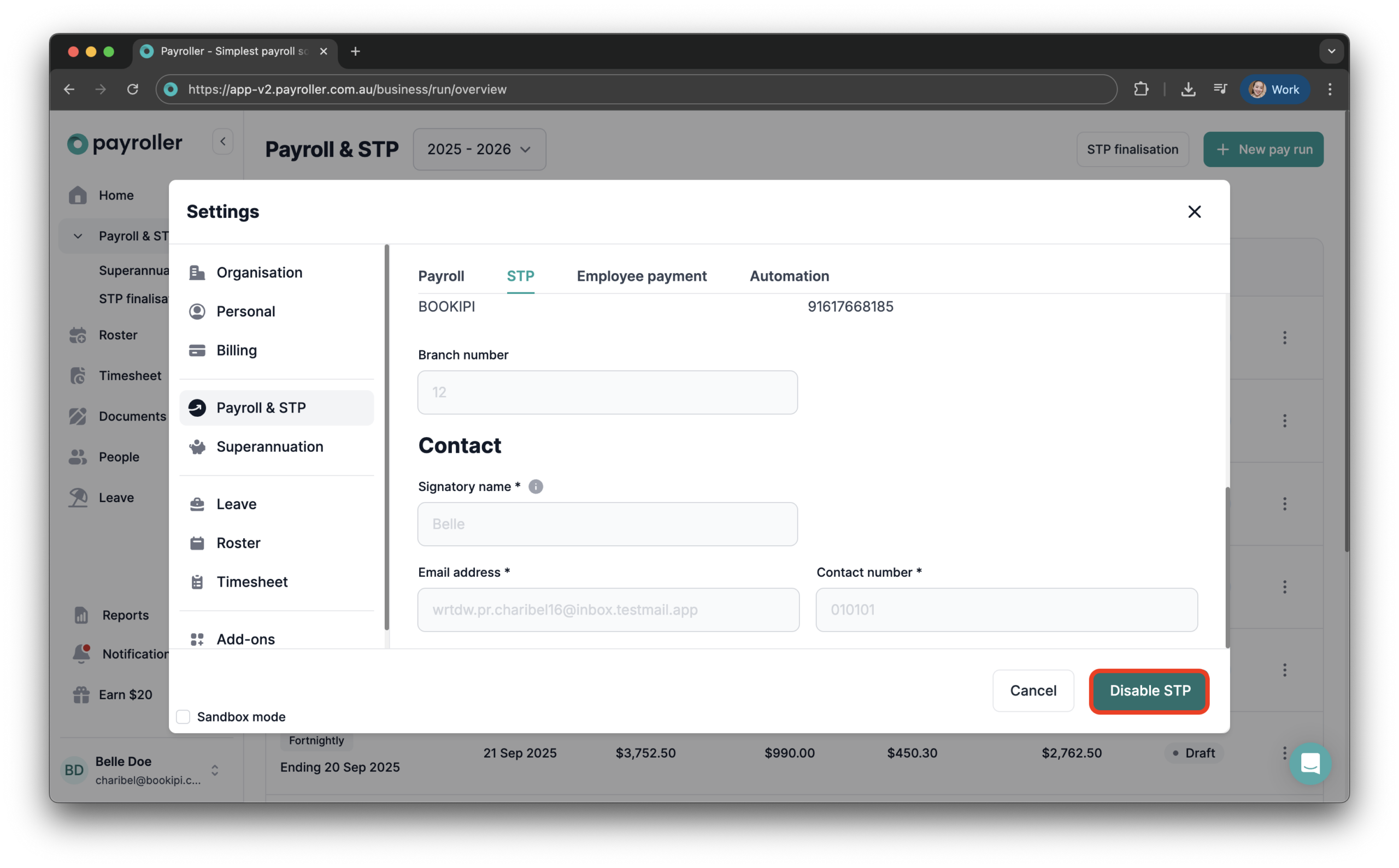
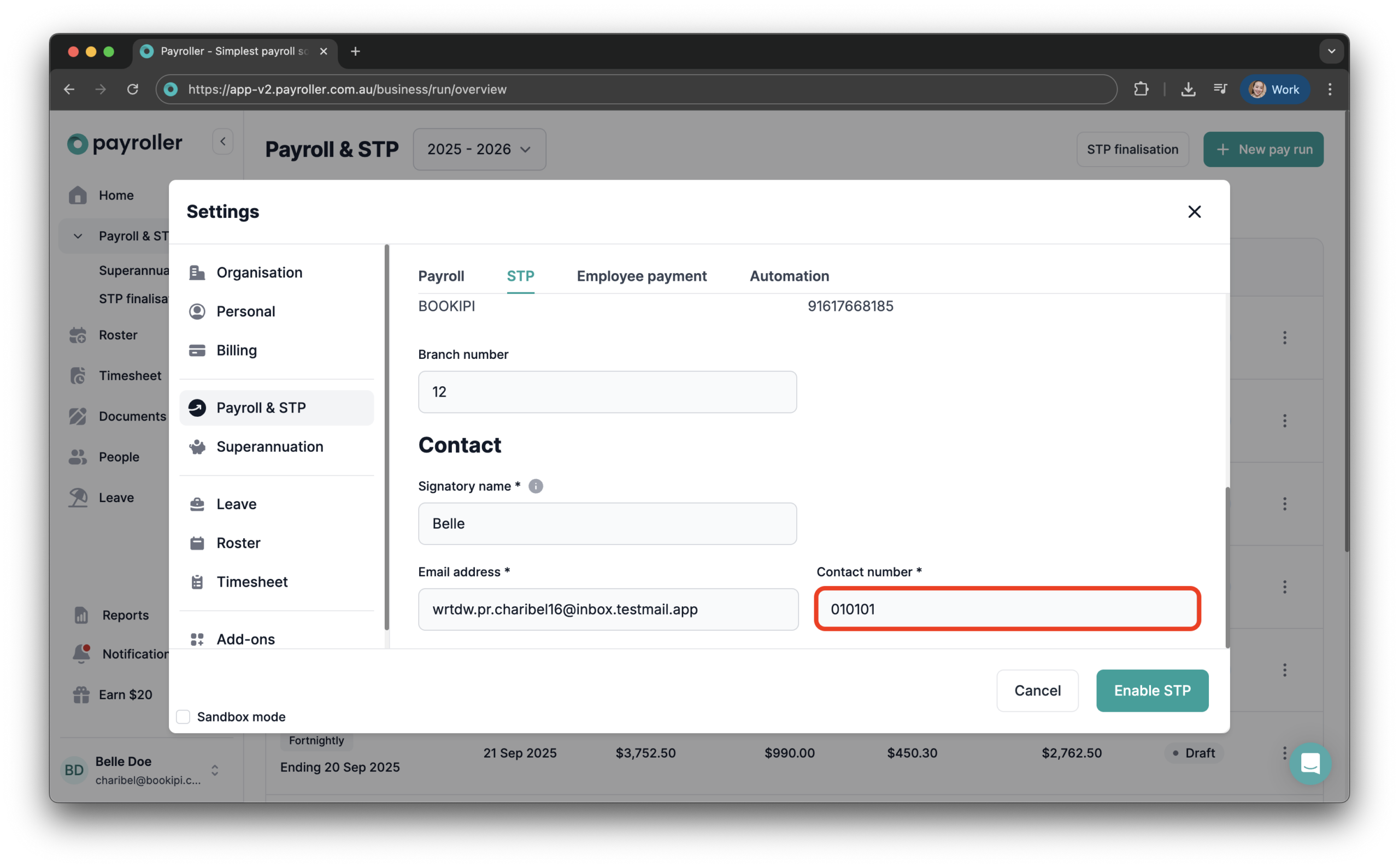
Step 6: Update the ‘Contact number’.
Step 7: Click on ‘Enable’ to save the changes.
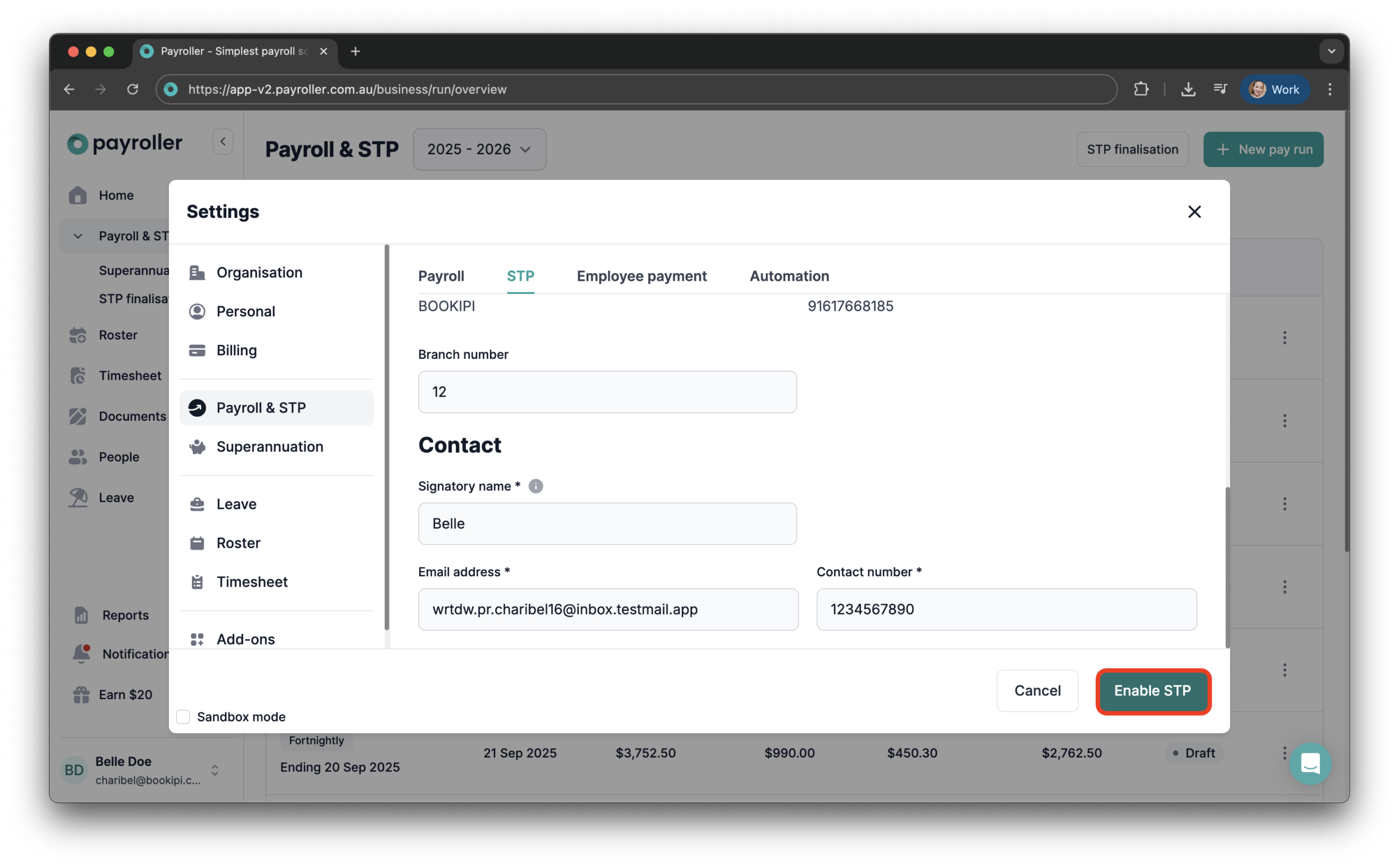
Please note that you will need to ‘Disable’ STP first to make the update, and then ‘Enable’ STP again once it’s updated.
Once corrected, you should be able to lodge your STP successfully.
Learn how to find and edit other STP-related features on Payroller with our simple guides below:
Discover more tutorials for using Payroller
Get started with setting up employees to create a pay run. Find out more about Single Touch Payroll (STP) and what you need to do for your small business. Sign up to try Payroller for free today.
You can access all features in Payroller on both web app and mobile app with a Payroller subscription. Find out more in our Subscription FAQs.