PAYROLL FROM JUST 99c PER MONTH*

How to move a super batch from the “Ignored” tab to the “Ready to submit” tab.

Learn how to move a super batch from ‘ignored’ to the ‘ready to submit’ tab for SuperStream in Payroller

Learn how to move a super batch in Payroller with our simple guide below.

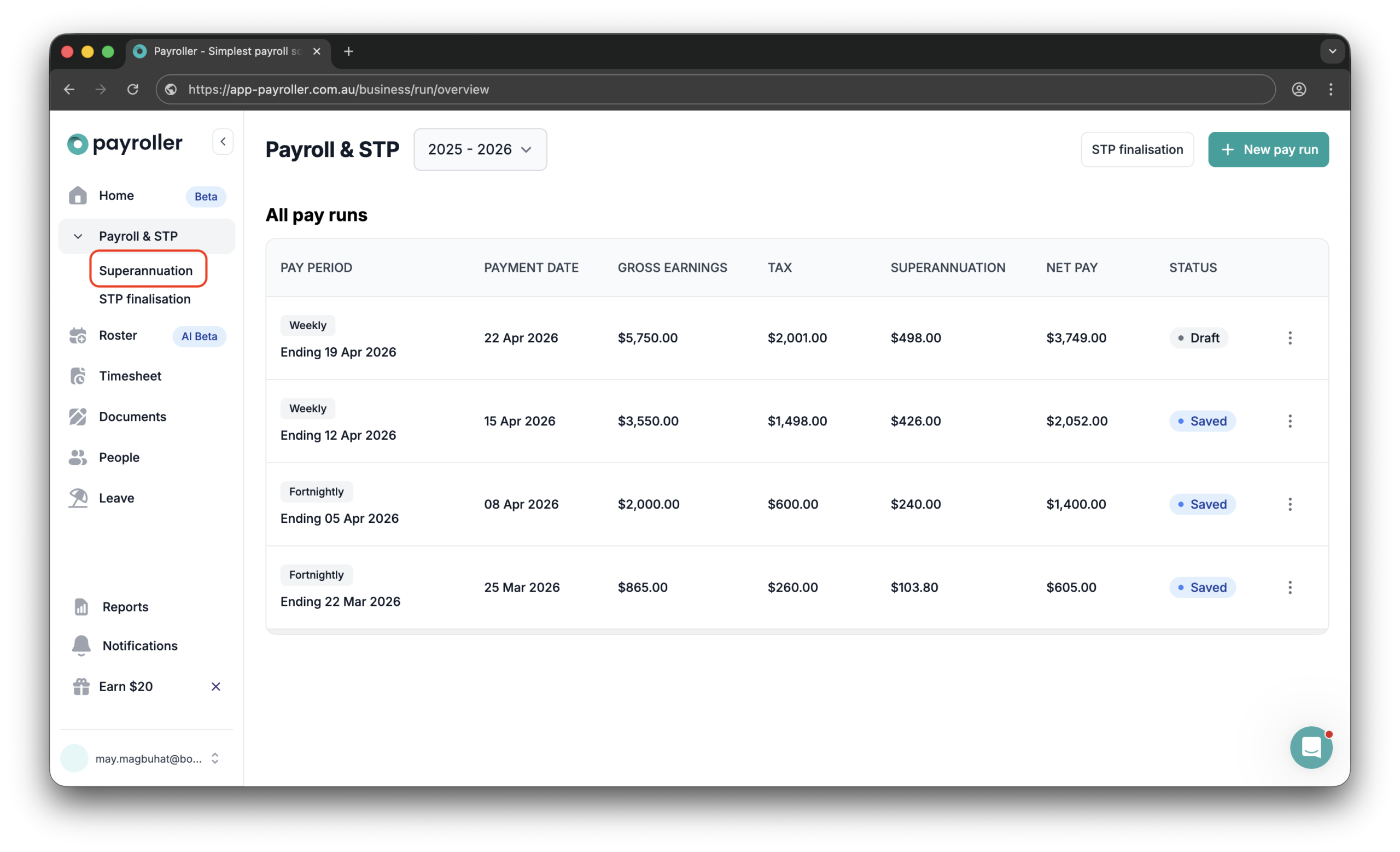
Step 1: Select ‘Superannuation’ from the left-hand side panel.

Superannuation Resources - How to move a super batch from the "Ignored" tab to the "Ready to submit" tab. - 1

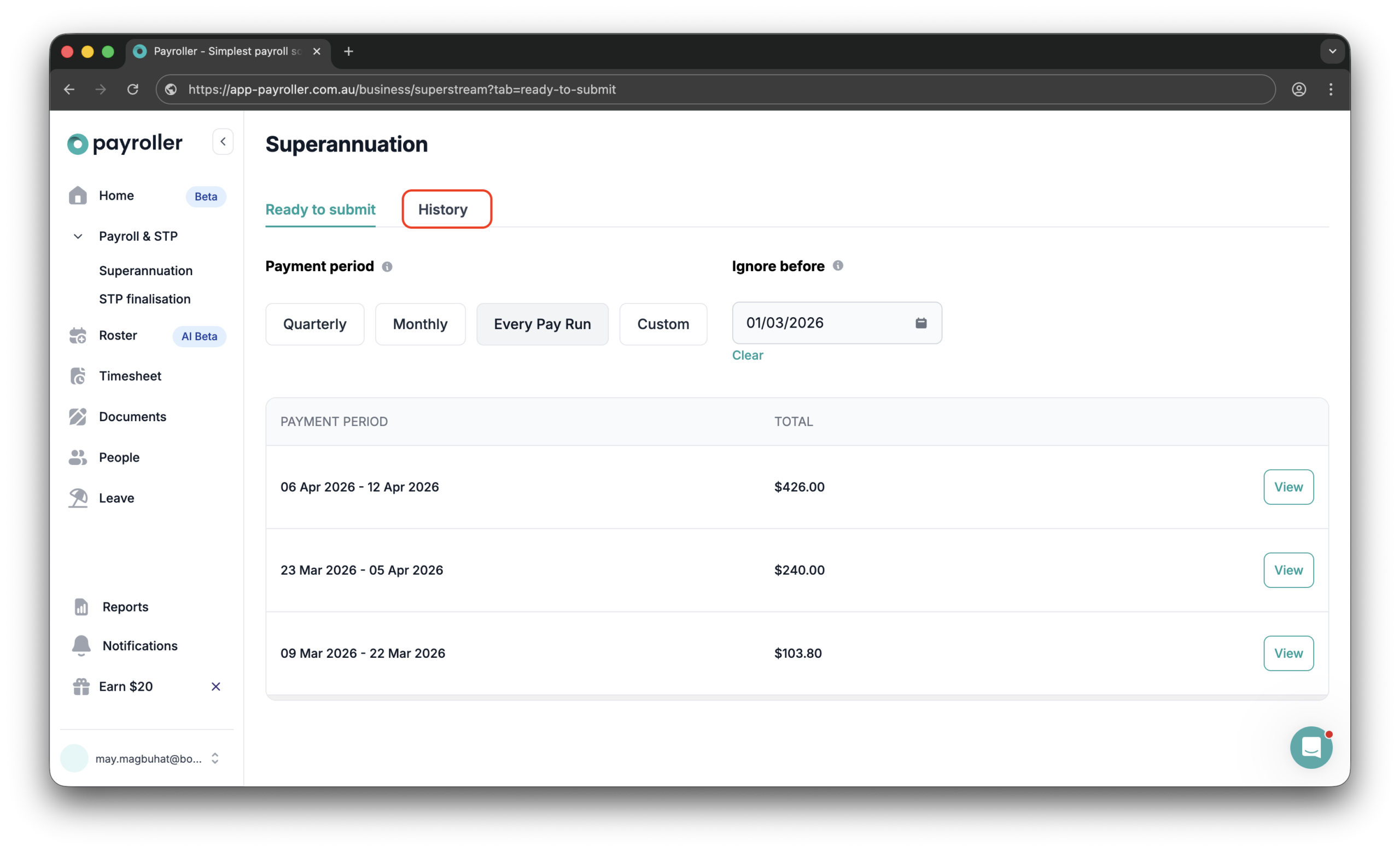
Step 2: Select the ‘History’ tab.

Superannuation Resources - How to move a super batch from the "Ignored" tab to the "Ready to submit" tab. - 2

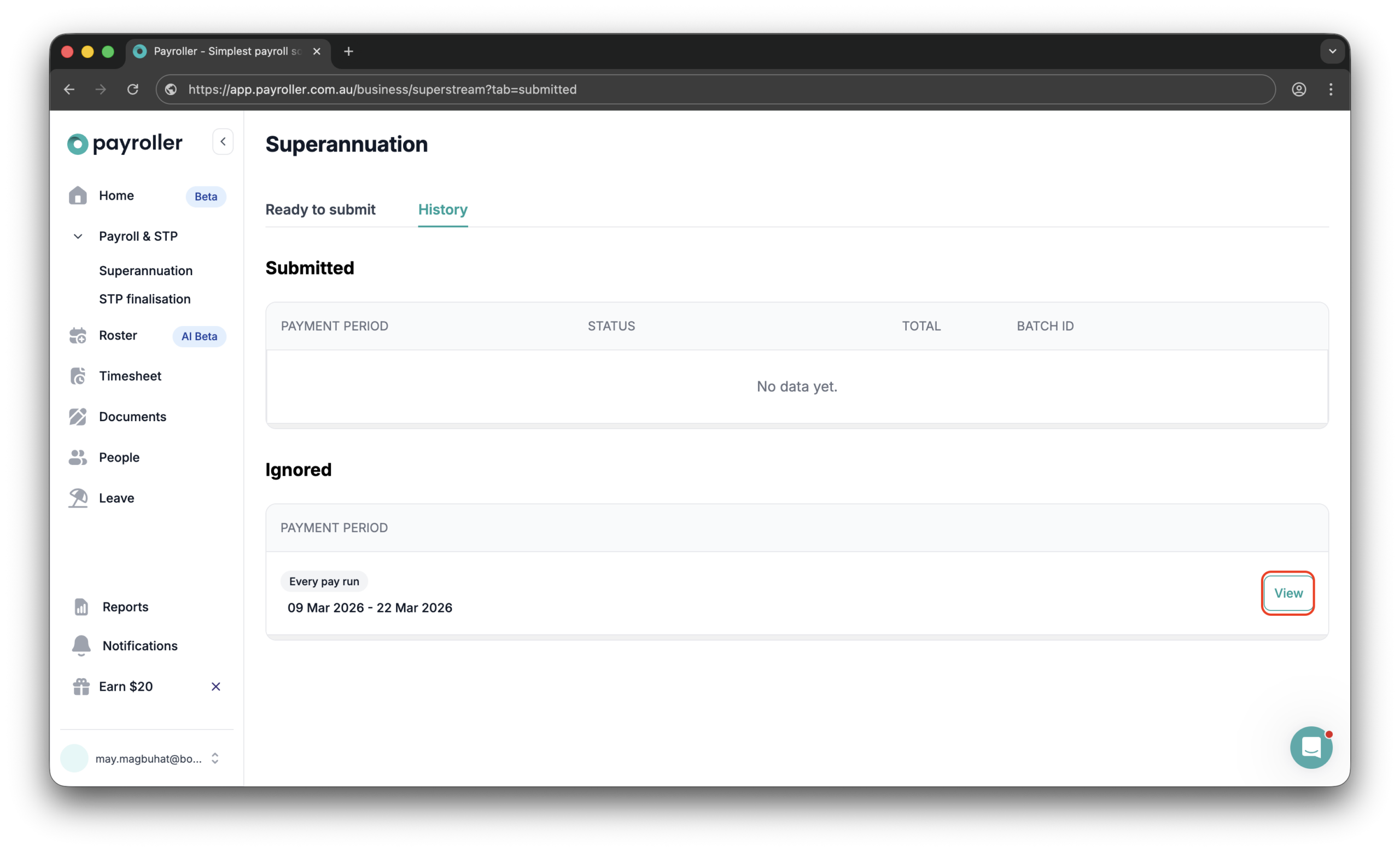
Step 3: Under ‘Ignored’, click ‘View’ on the super batch you wish to move to ‘Ready to submit’.

Superannuation Resources - How to move a super batch from the "Ignored" tab to the "Ready to submit" tab. - 3

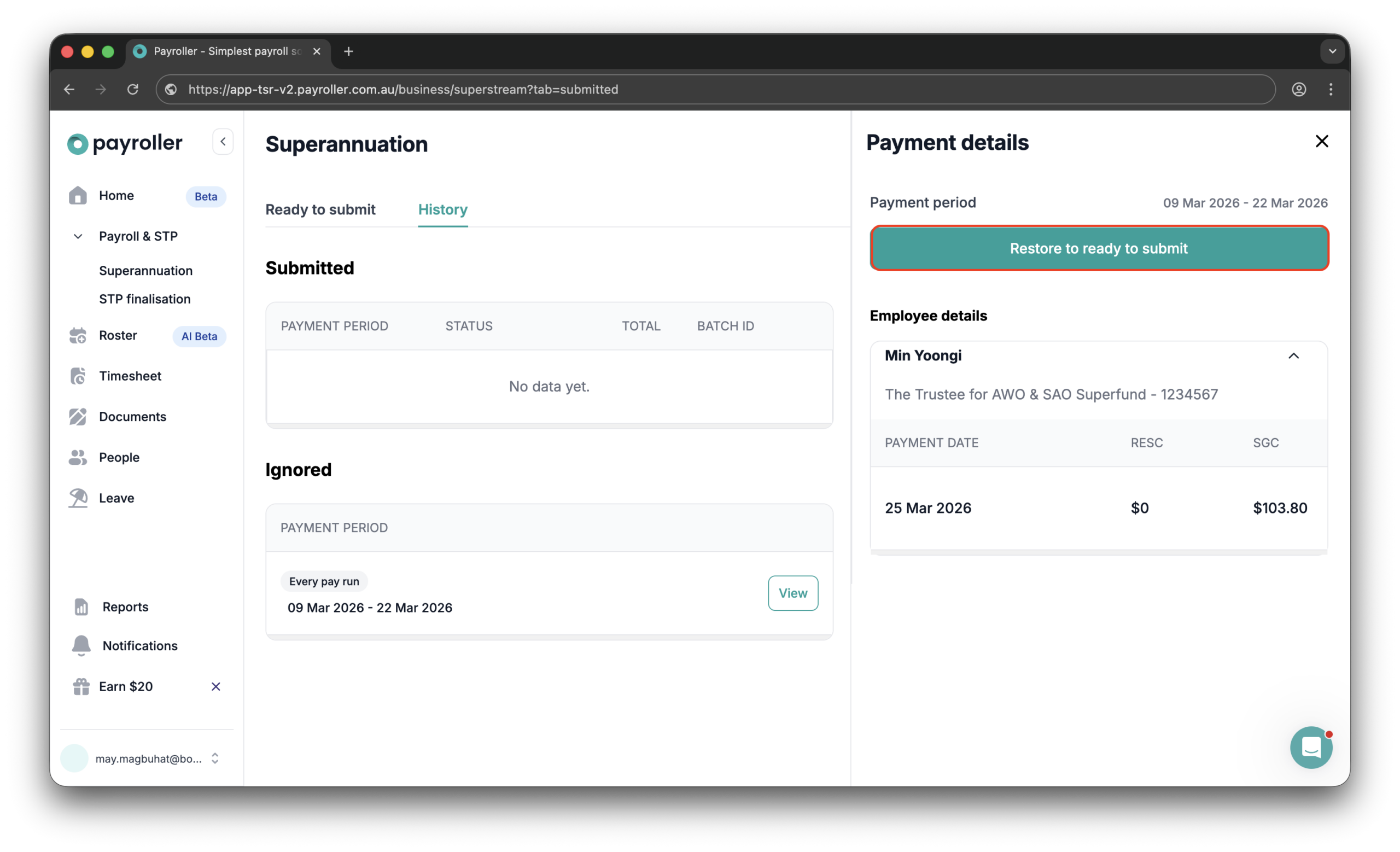
Step 4: Click ‘Restore to ready to submit’.

Superannuation Resources - How to move a super batch from the "Ignored" tab to the "Ready to submit" tab. - 4

Discover more tutorials & get the most out of using Payroller

Try out Payroller for free. Learn how to create and submit a pay run.

You can also get a Payroller subscription that gives you access to all features via the web and mobile app. Read up on our Subscription FAQs.

Invite your accountant, bookkeeper or tax agent to help you run your business payroll with our guide.

Summary

Try Australian payroll software for free

Create your free account now!

*By clicking “Try For Free“, you agree to our terms of service and privacy policy.