
Learn how to edit the business hours for calculating requested and scheduled leave in Payroller
Learn how to edit the business hours for leave in the Settings section of Payroller with our simple guide below.
There are currently two versions on Payroller
Version 1: Old version
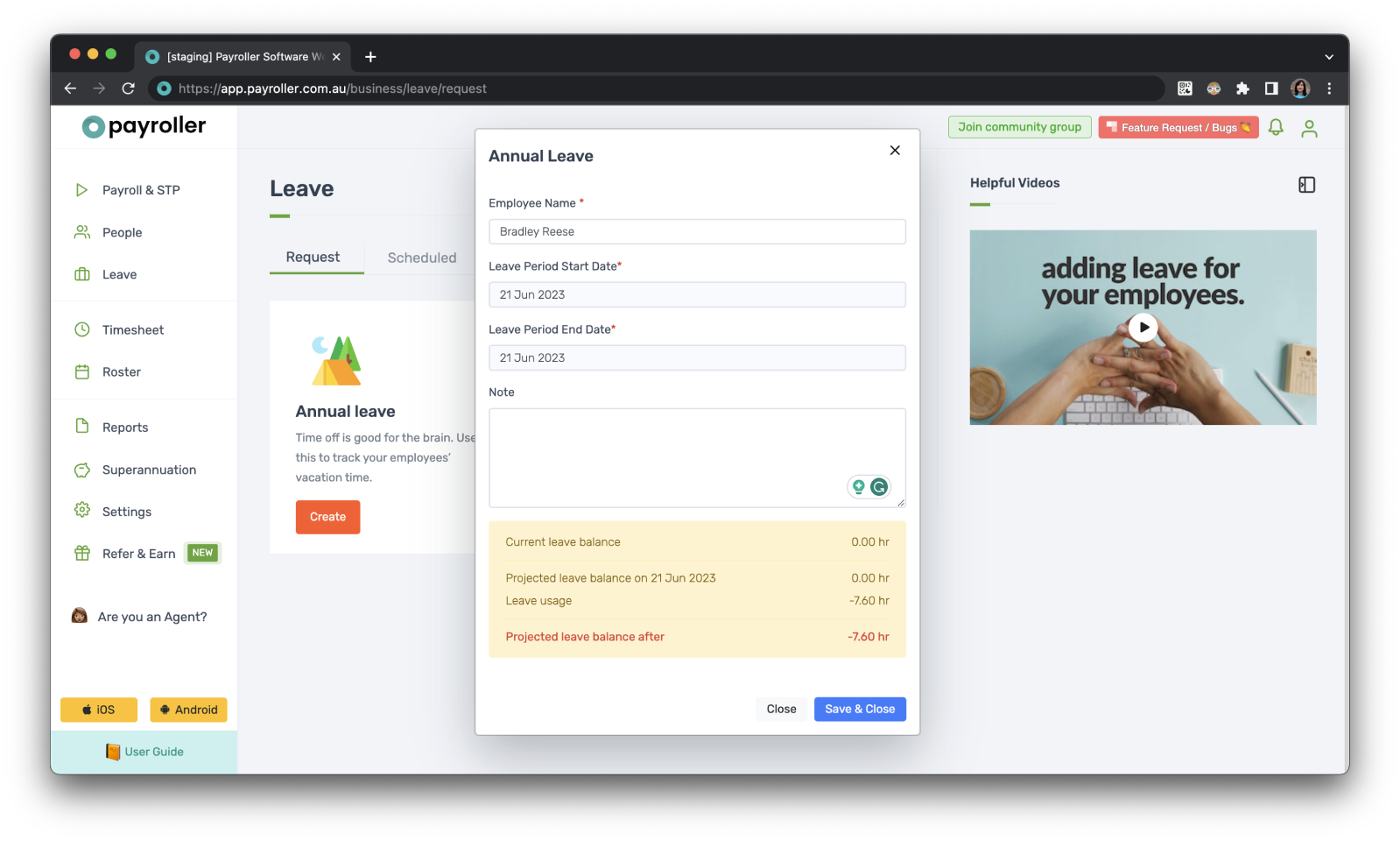
Step 1: Select ‘Settings’.
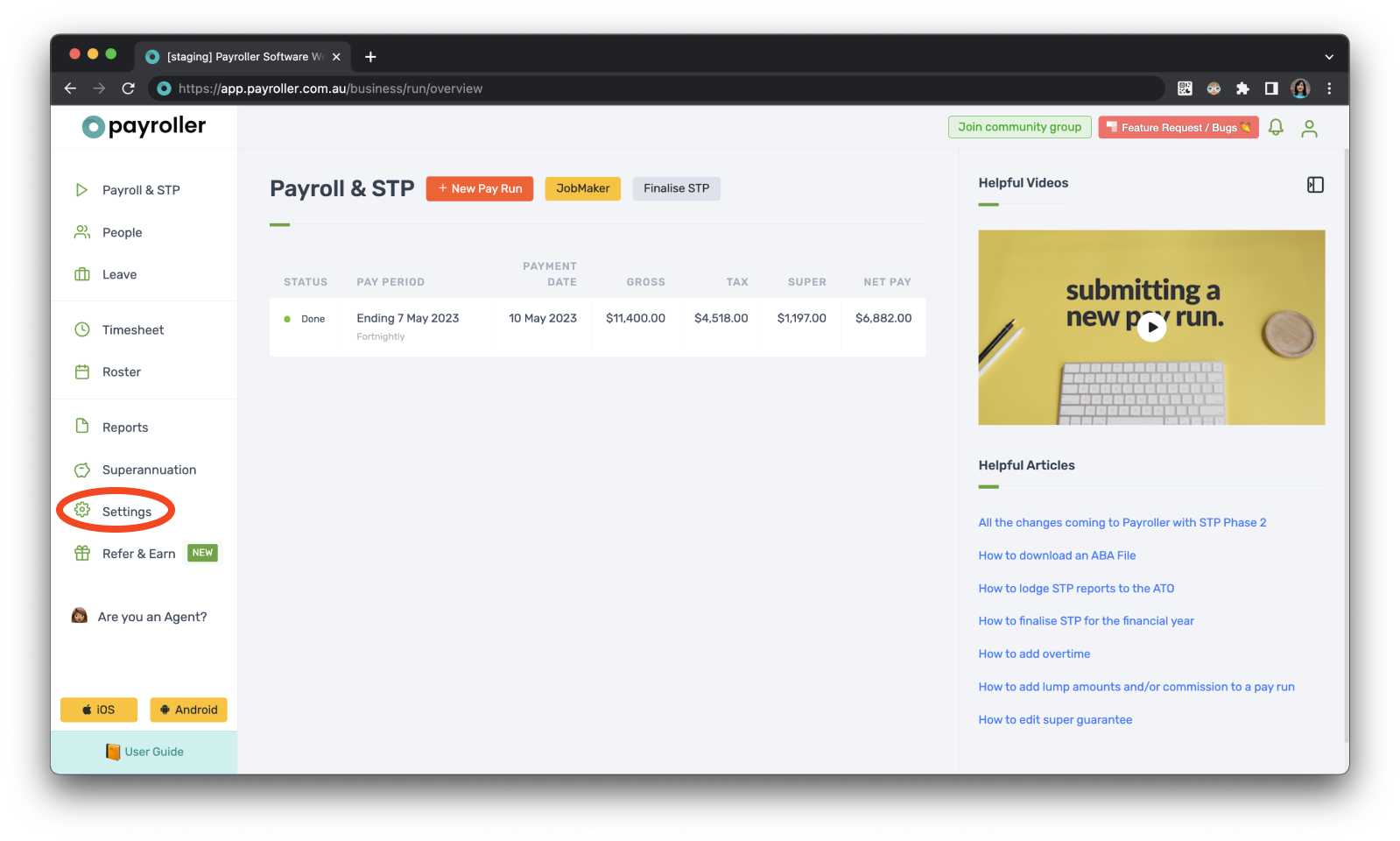
Step 2: Select ‘Organisation Settings’.
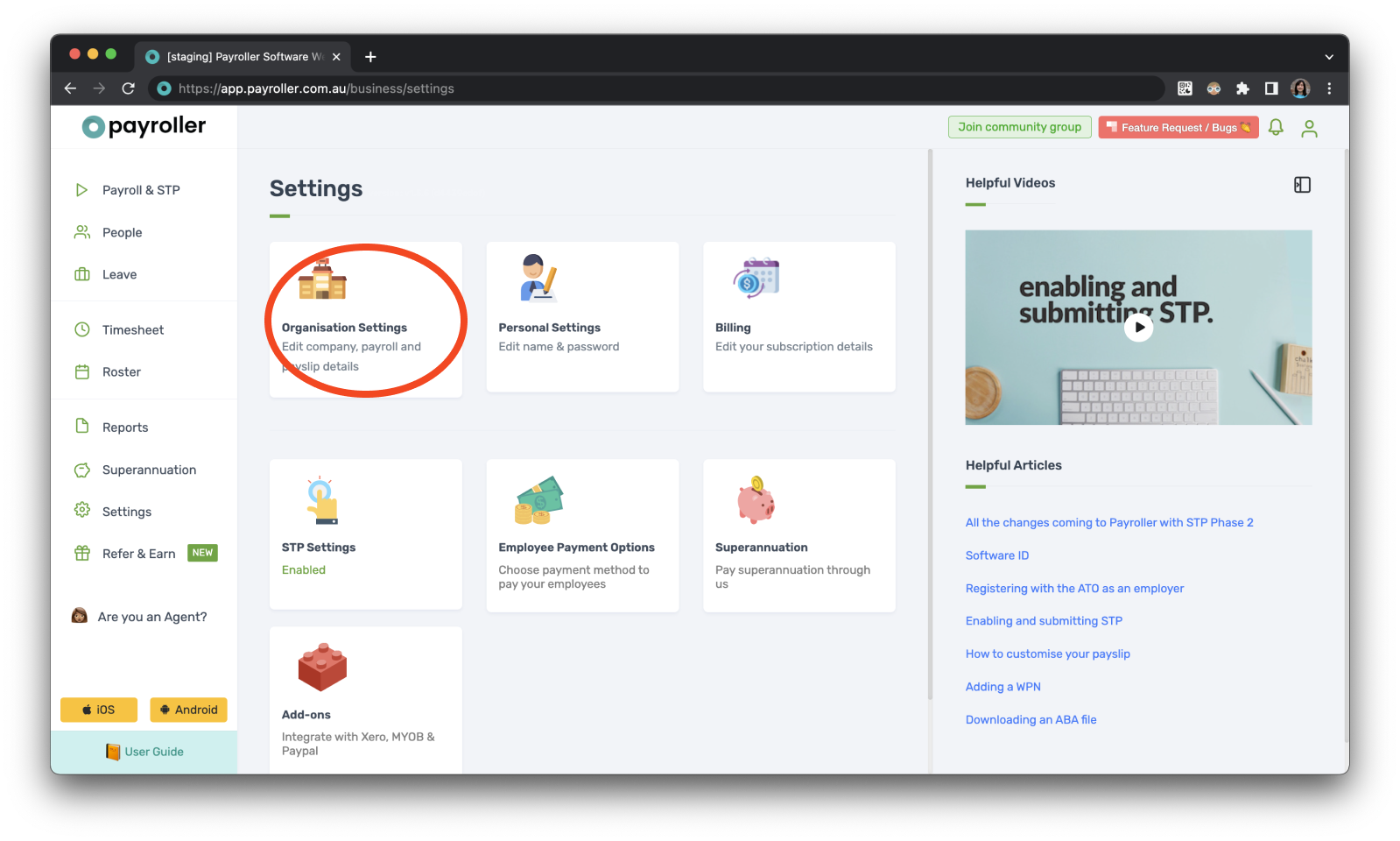
Step 3: Select ‘Schedule Details’.
Step 4: Select the dropdown under ‘Work hours’.
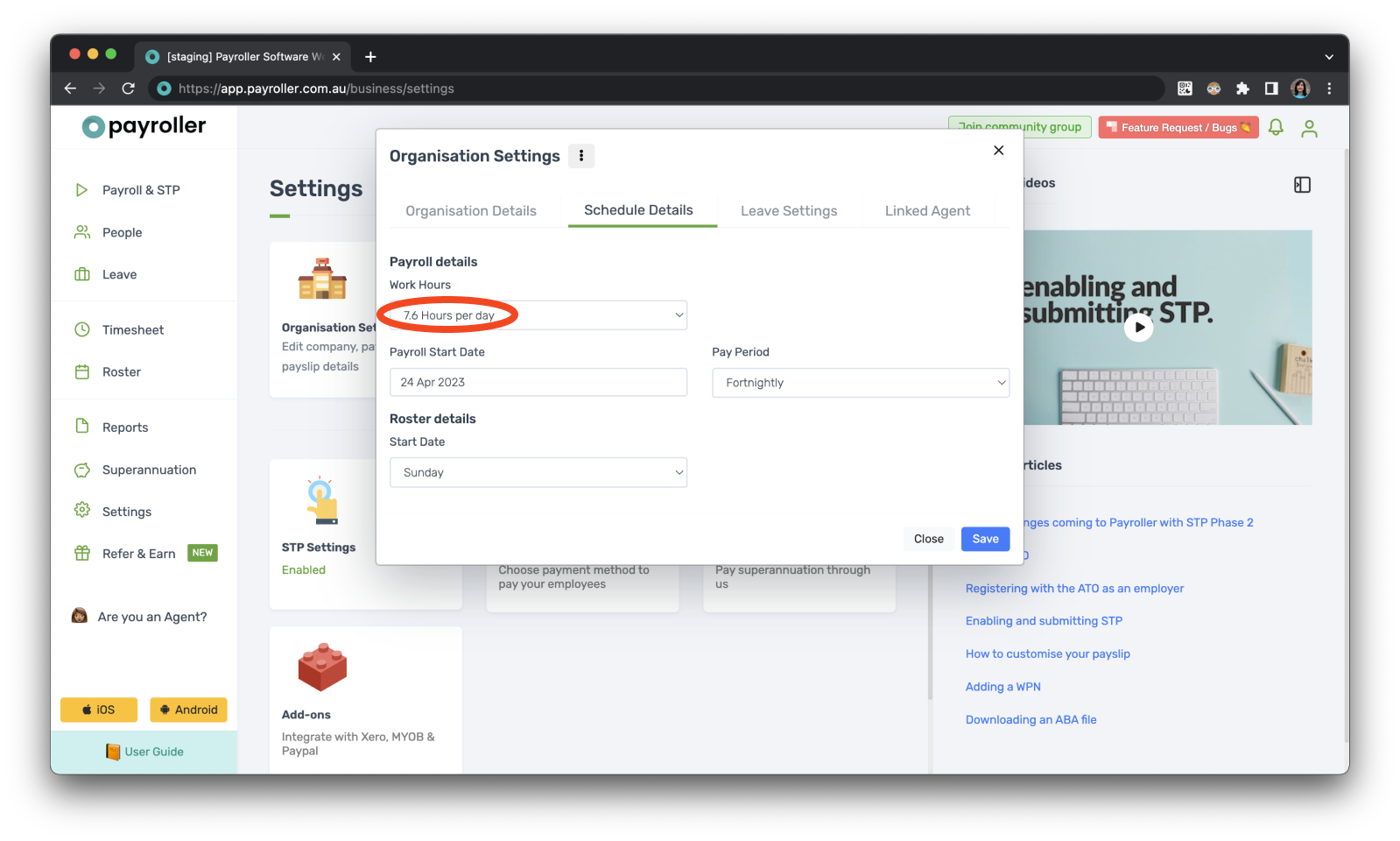
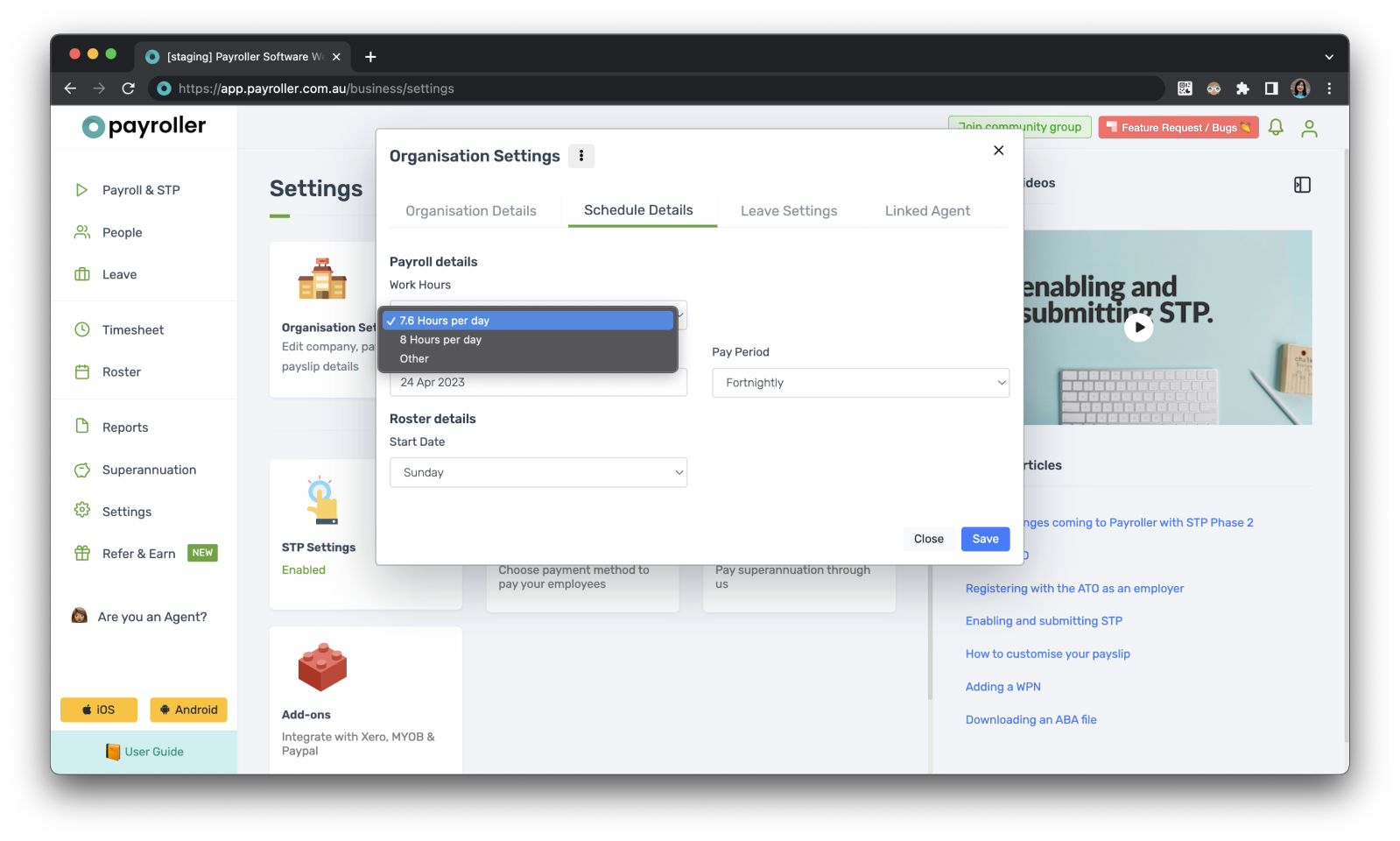
Step 5: Select the hours you would like your leave calculated. If your hours aren’t listed you can select ‘Other’ and enter your work hours manually.
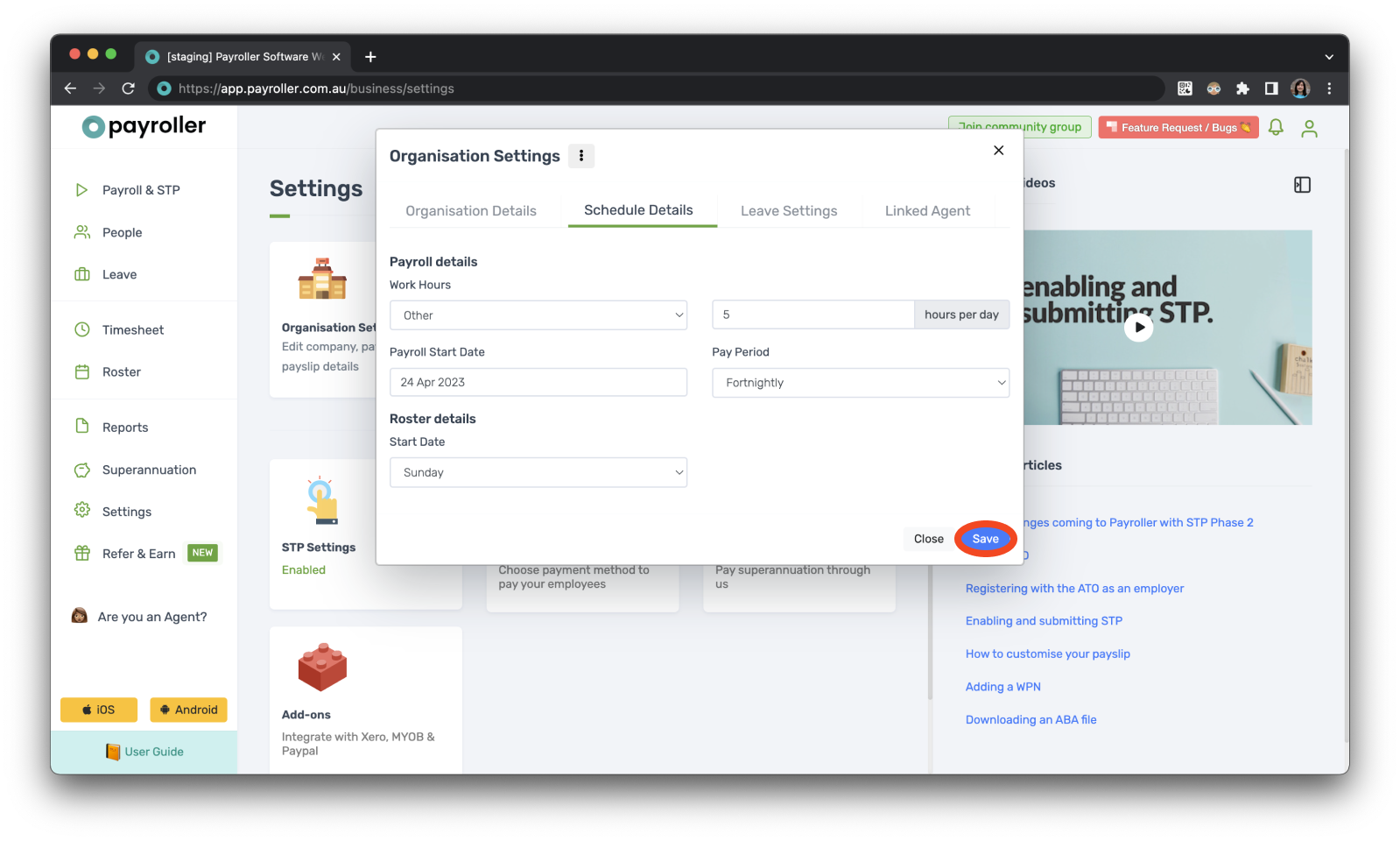
Step 6: Change these as needed and click ‘Save’.
Step 7: Now, the changes will reflect when you schedule any leave.
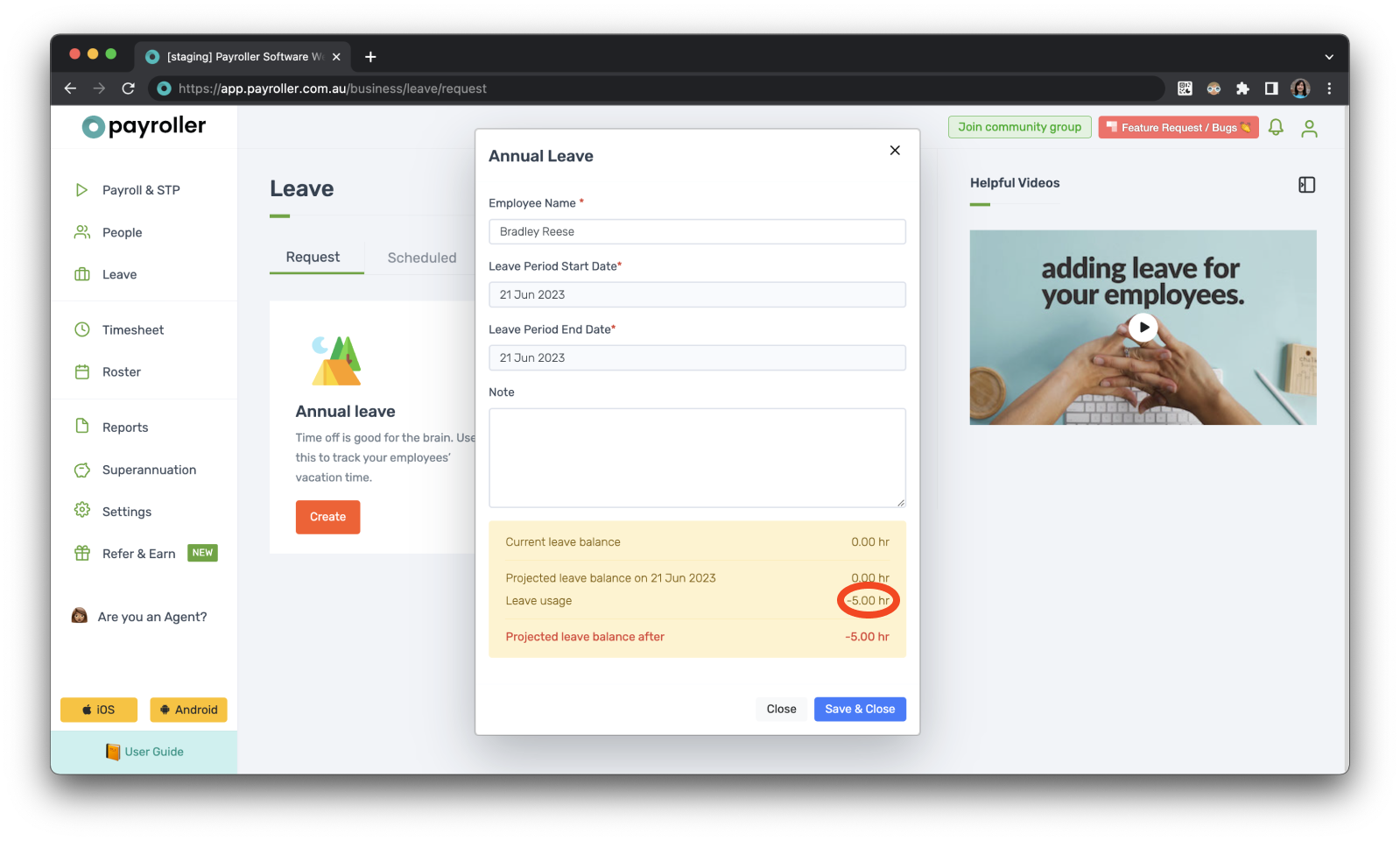
Note: Even though scheduled leaves appear on your pay runs, you can add and edit these hours directly on the pay run as well.
Version 2: New version
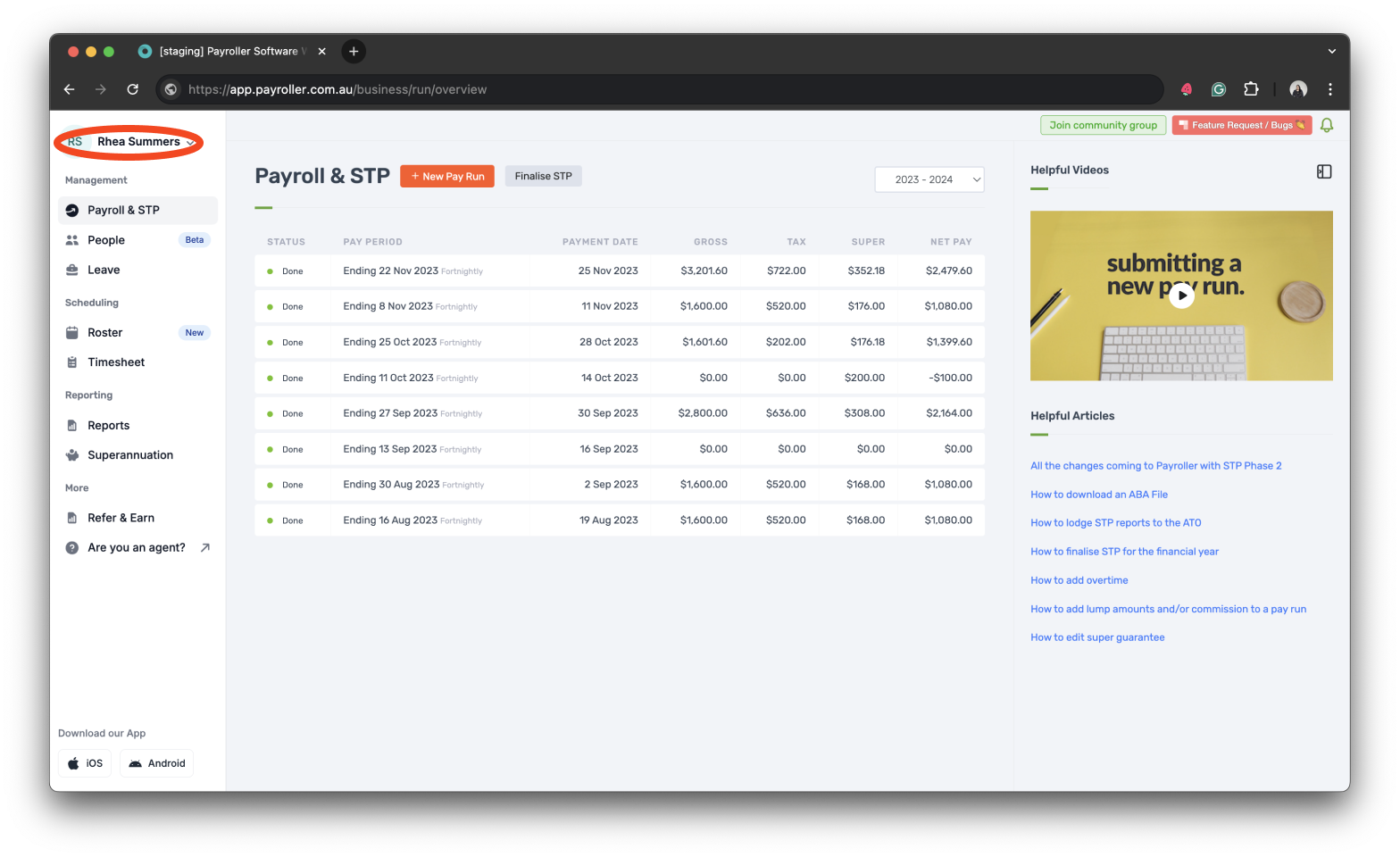
Step 1: Go to your account’s profile in the upper left corner of your main screen.
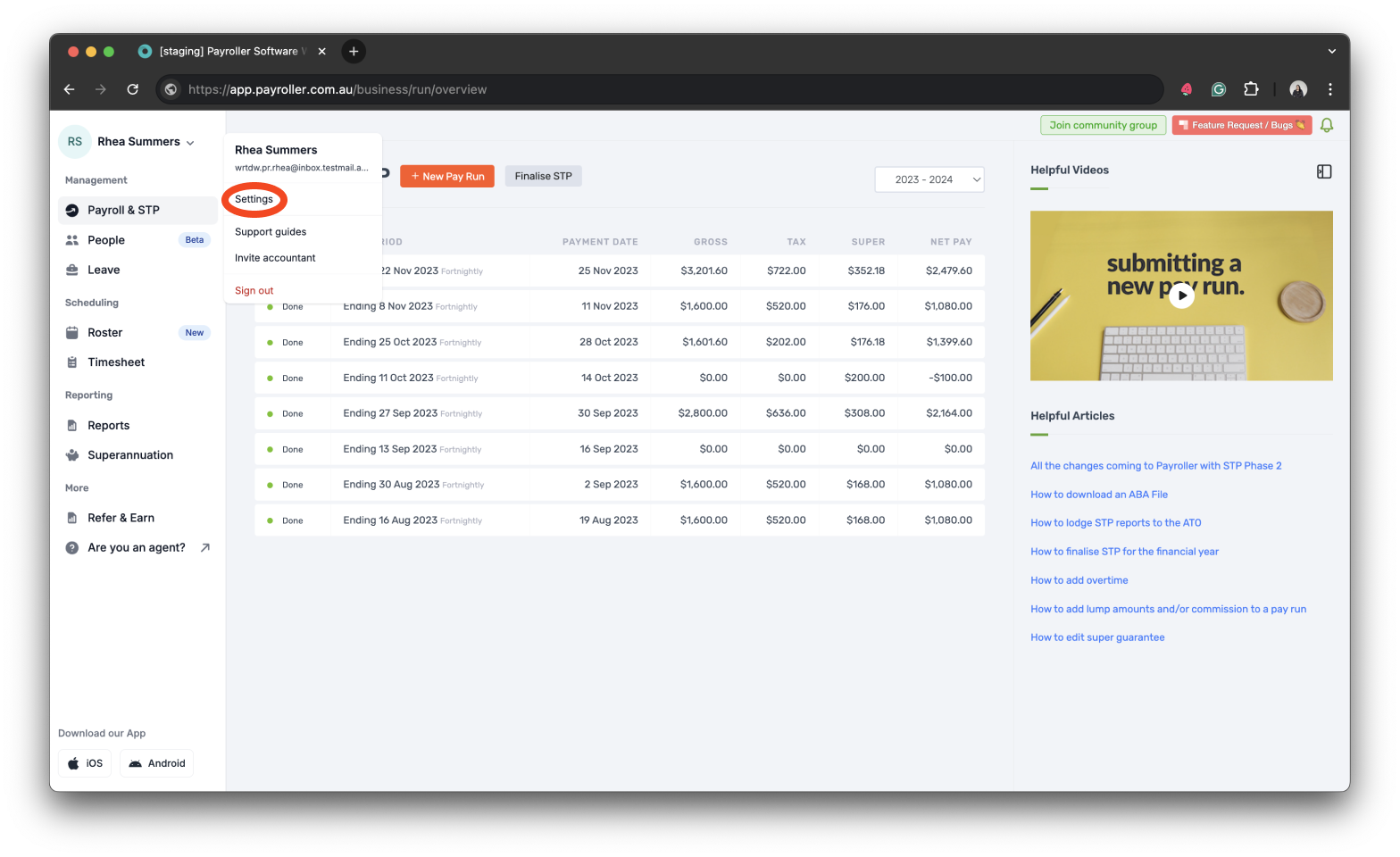
Step 2: Select ‘Settings’.
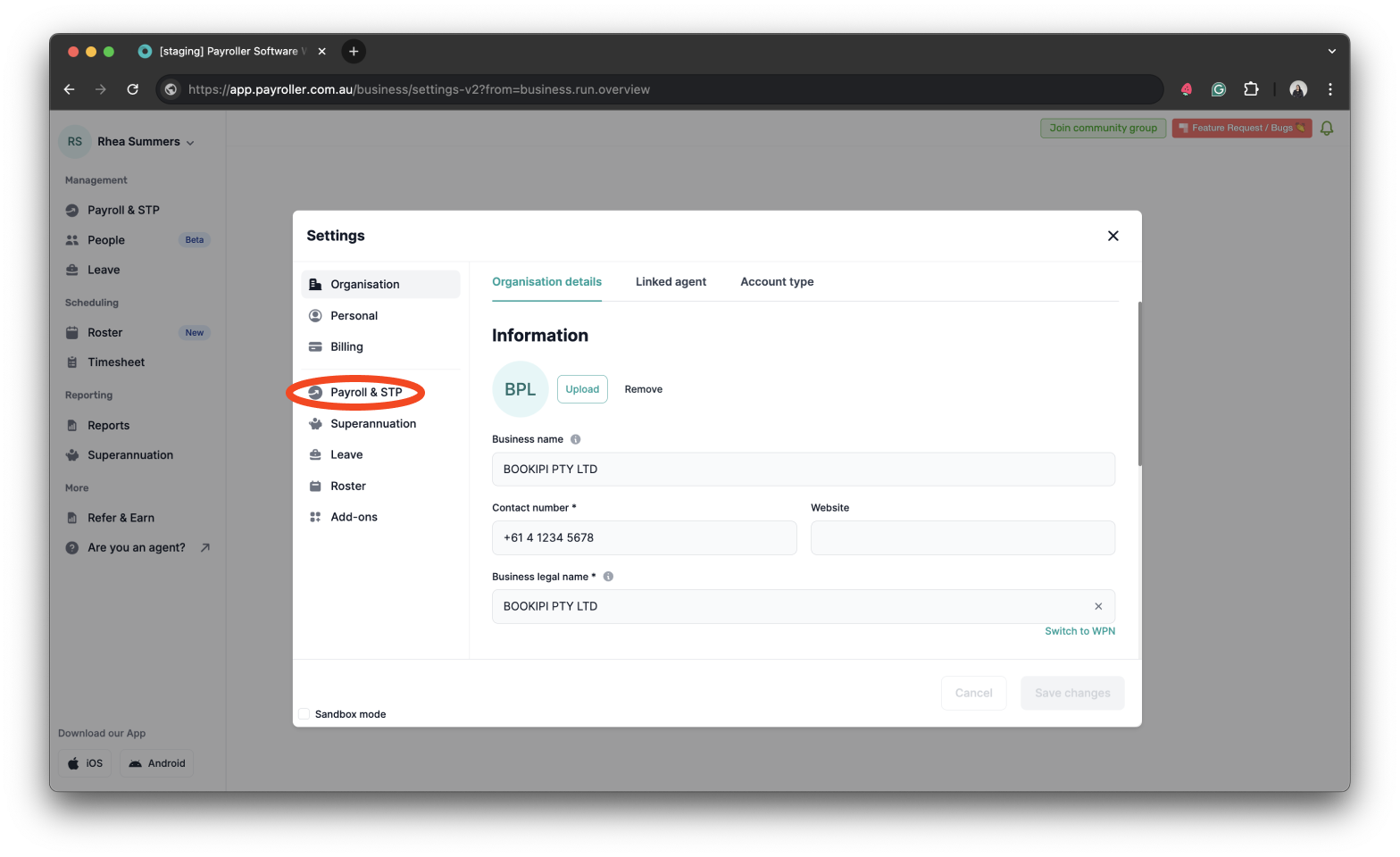
Step 3: Select ‘Payroll & STP’.
Step 4: Select the dropdown under ‘Work hours’.
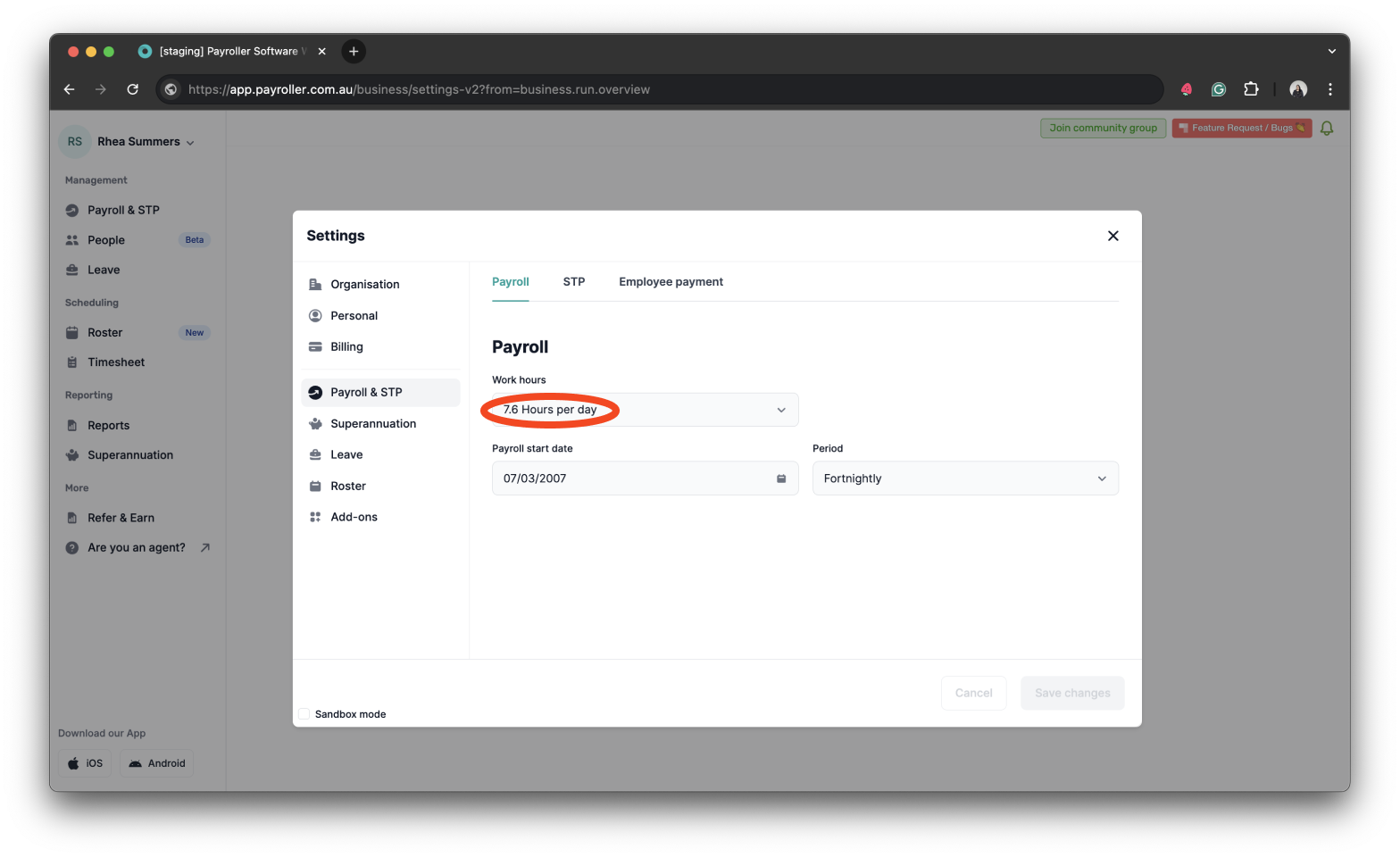
Step 5: Select the hours you would like your leave calculated. If your hours aren’t listed, you can select ‘Other’ and enter your work hours manually.
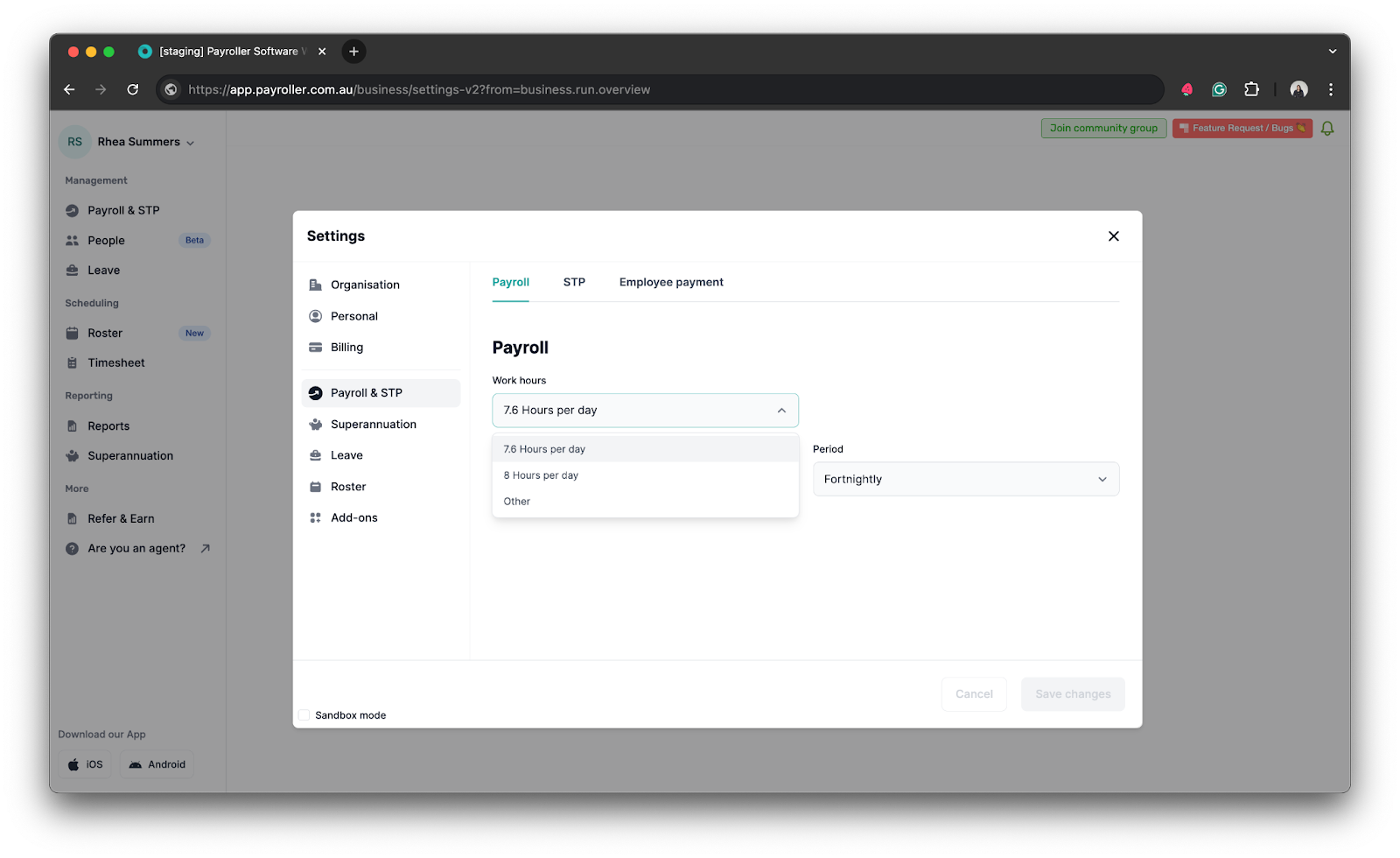
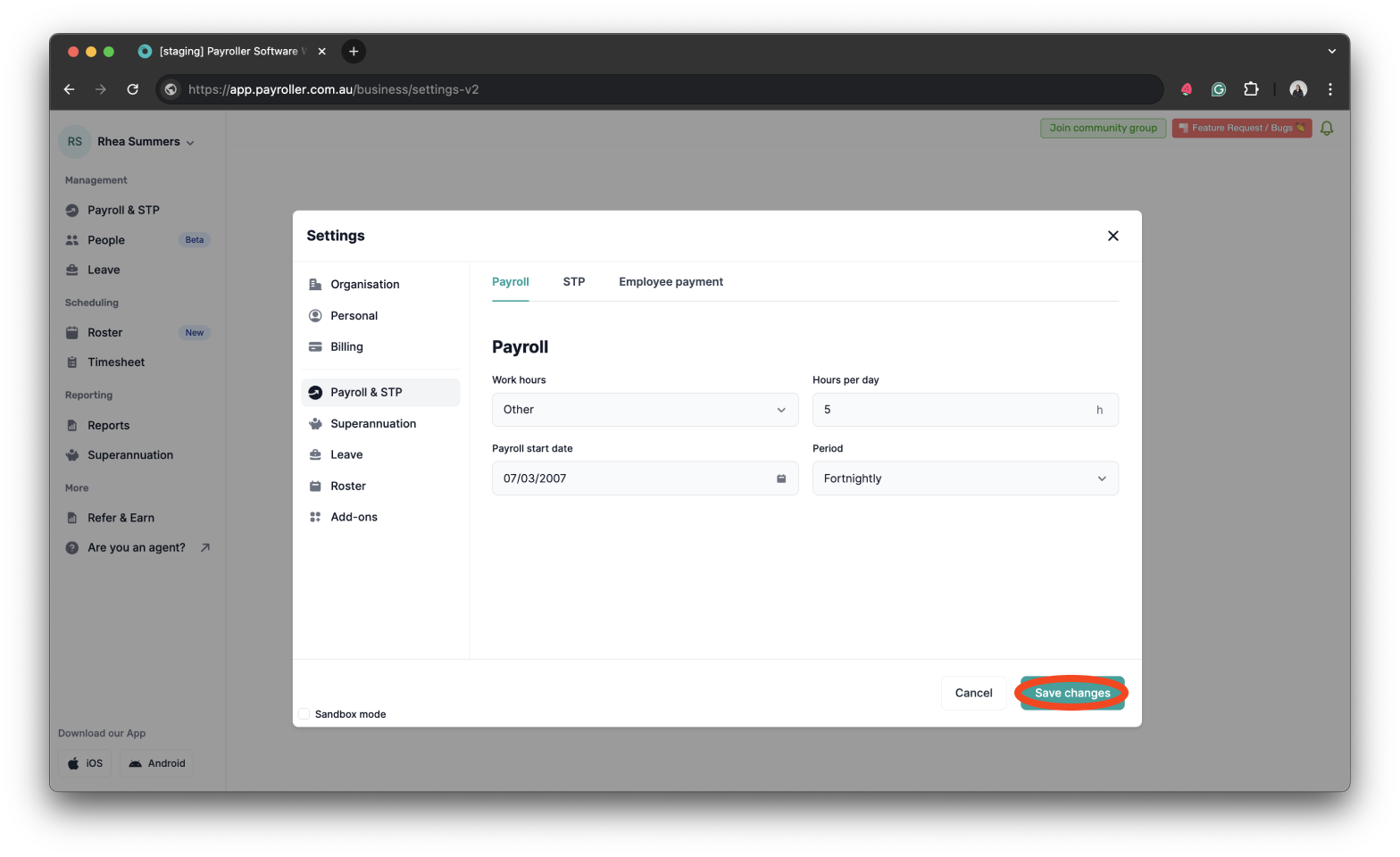
Step 6: Change these as needed and click ‘Save changes’.
Step 7: Now, the changes will reflect when you schedule any leave.
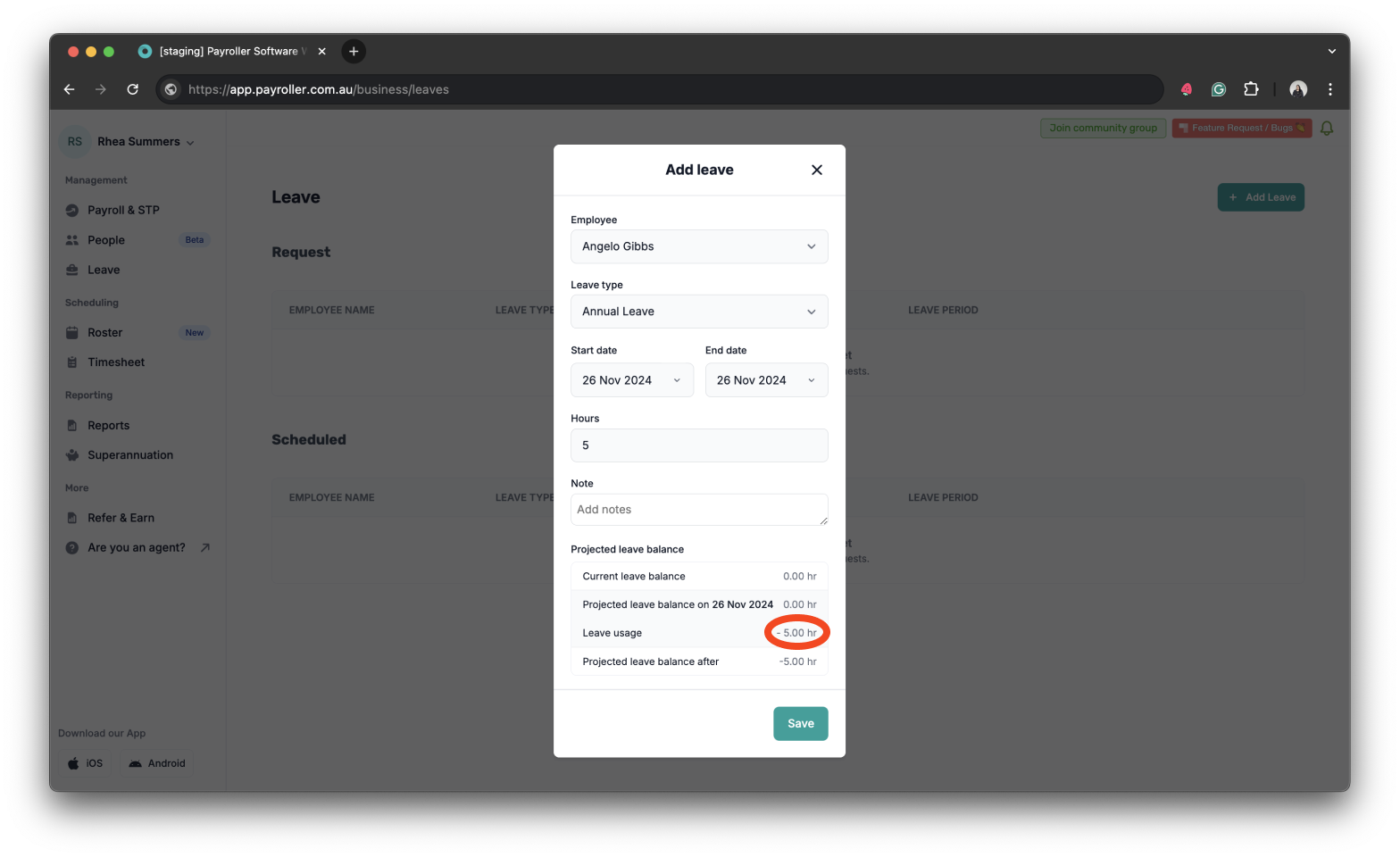
Note: Even though scheduled leaves appear on your pay runs, you can add and edit these hours directly on the pay run as well.
Learn how to make changes to your business details and edit default settings for pay runs with our other simple guides below:
Changes to your business details in Payroller
-
How to update your business details including name, address, and contact number
-
How to view or change your ABN (Australian Business Number) in Payroller
Changes to default pay run settings
Changes to default payslip settings
Discover more tutorials & get the most out of using Payroller
Learn how to change your user Settings in Payroller with our simple guides.
Signing up for a Payroller subscription gives you access to all features via the web and mobile app. Read our Subscription FAQs.