
Learn how to ignore a super batch from SuperStream in Payroller
Learn how to ignore a super batch from SuperStream in Payroller with our simple steps below.
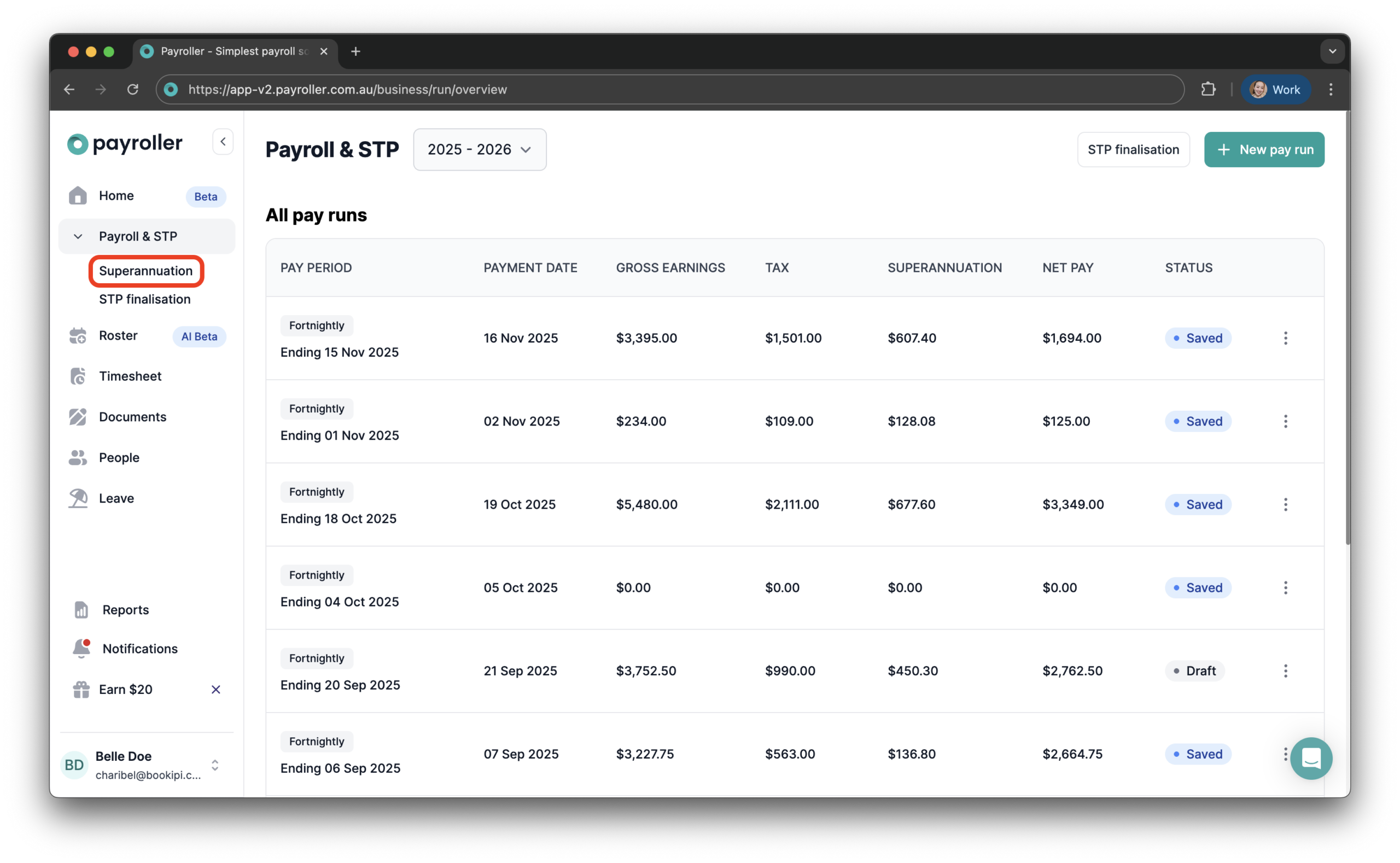
Step 1: Select ‘Superannuation’.
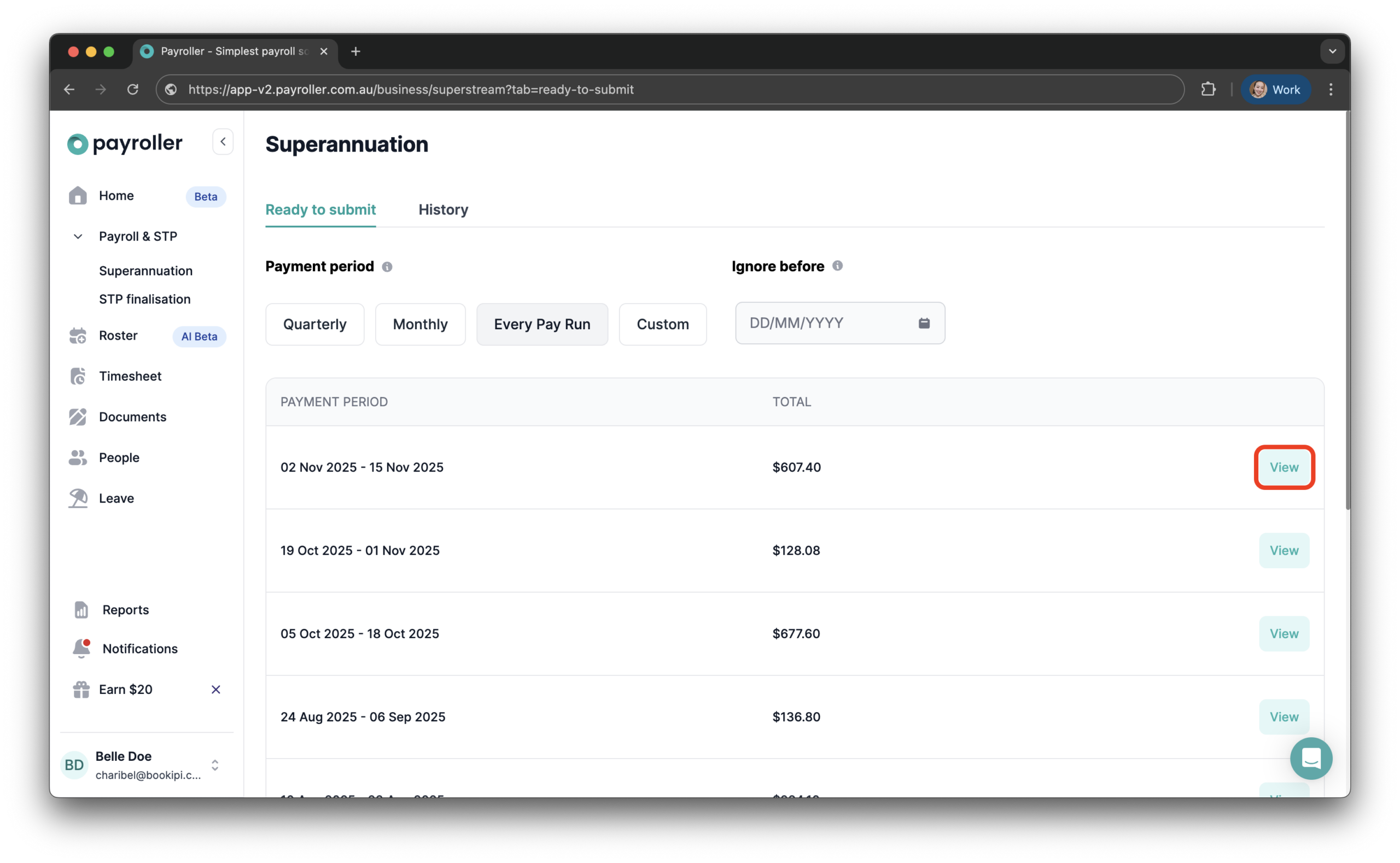
Step 2: Click ‘View’ to open the pay run you want to ignore.
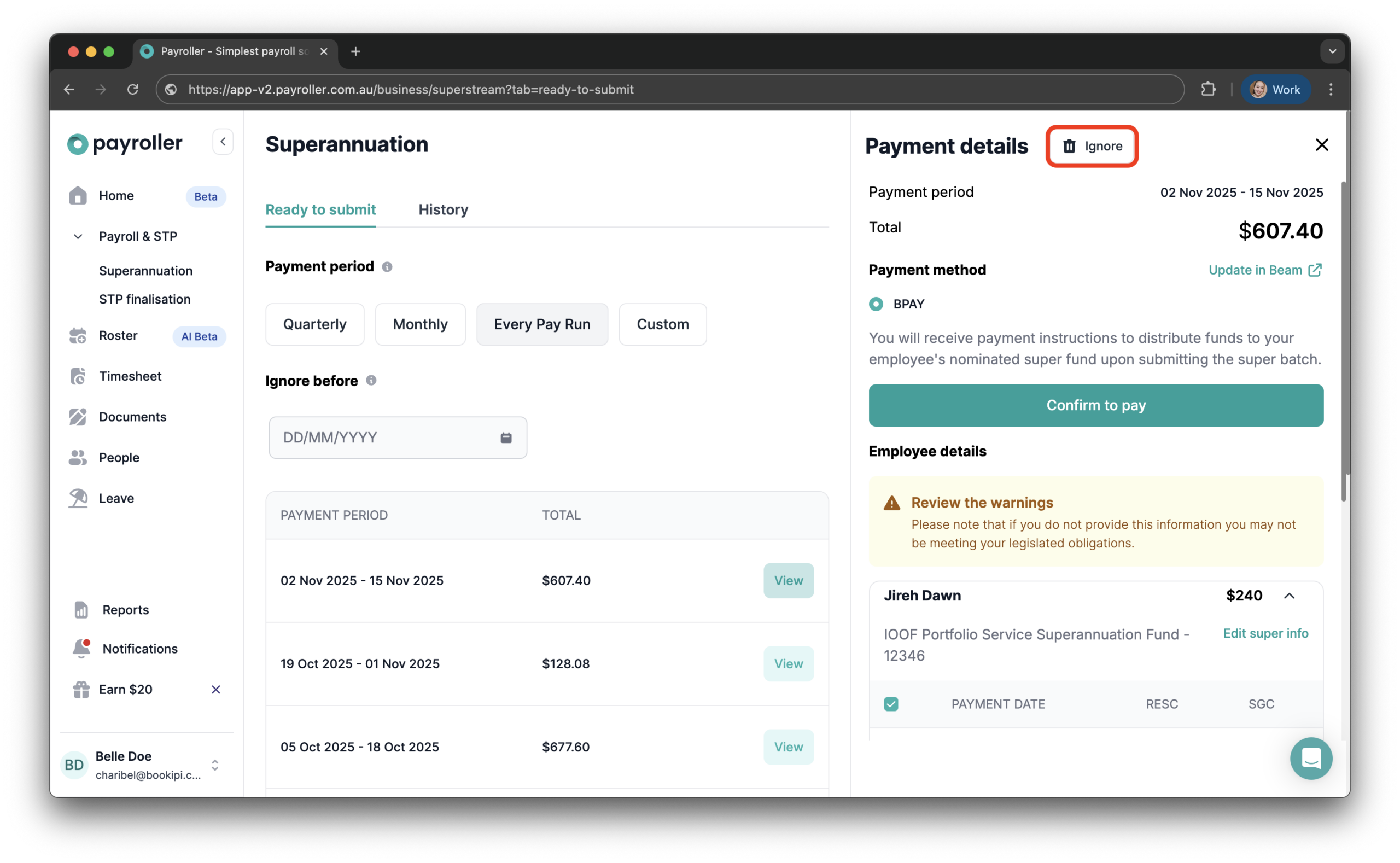
Step 3: Click ‘Ignore’ on the relevant super batch. The button is located at the top of the screen, next to the payment details.
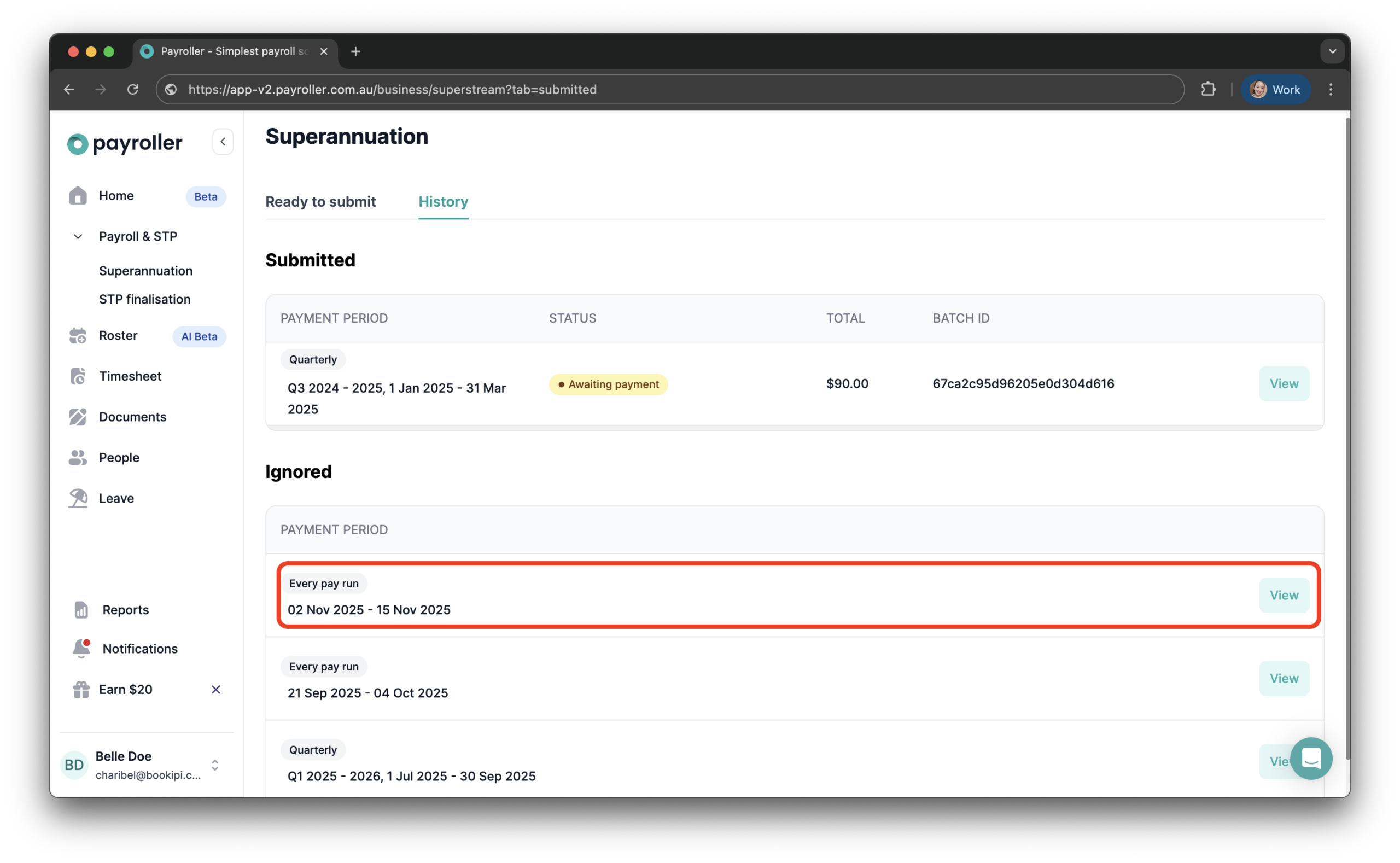
Step 4: After selecting ‘Ignore’, the super batch will be moved to the ‘History’ tab.
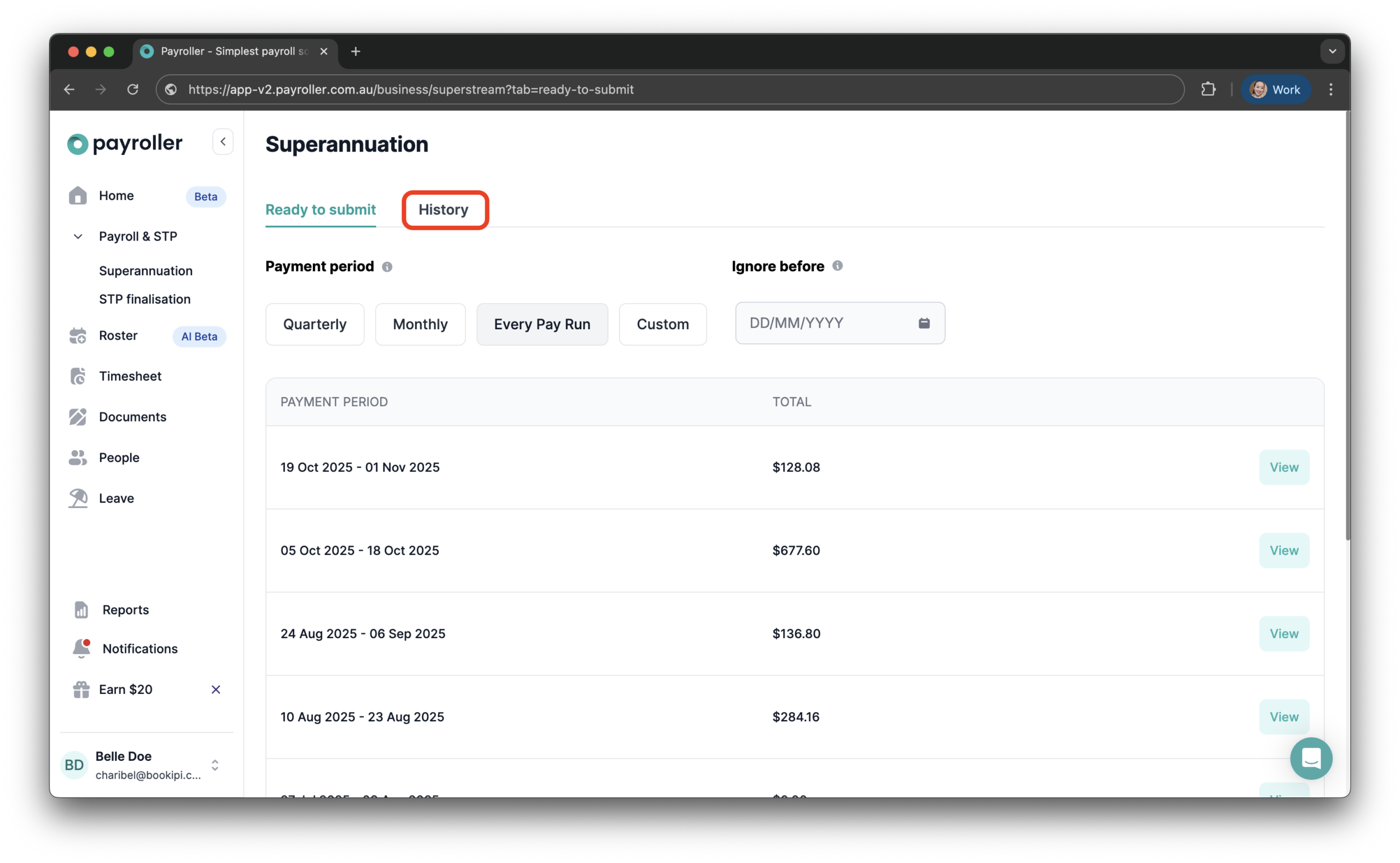
Step 5: In the ‘History’ tab, scroll down to the ‘Ignored’ section to view the ignored super batch.
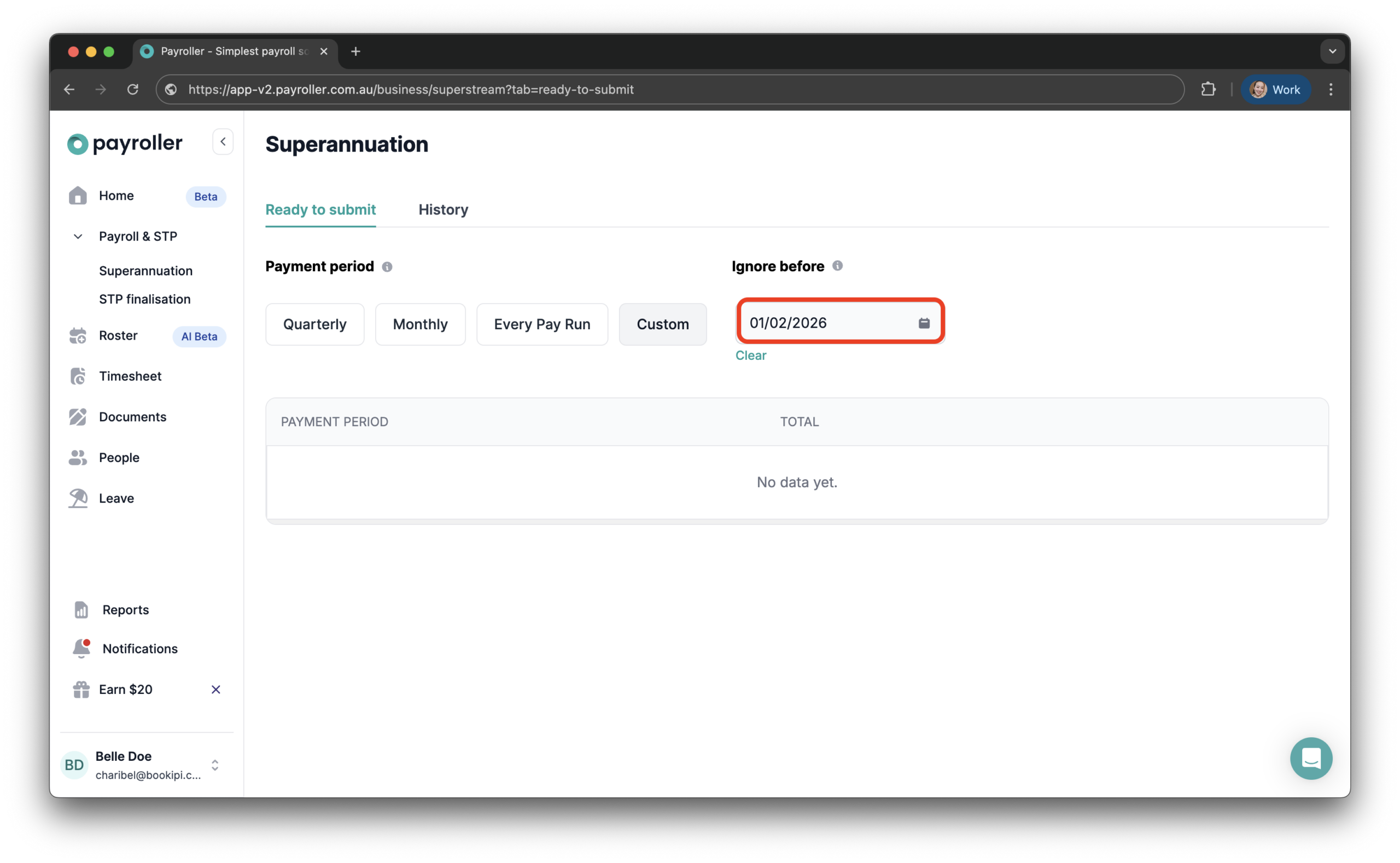
If you only want to hide super batches created before a specific date, you can use the ‘Ignore before’ option.
Discover more tutorials for using Payroller
Sign up to make superannuation payments straight from your payroll.
You can try Payroller for free, and get access to all Payroller features across any device on the web app and mobile app with a Payroller subscription. Learn more in our Subscription FAQs.