
Learn how to edit the super guarantee amount in a pay run with Payroller
Definition: The Super Guarantee is the percentage that employers must contribute to their employees’ super fund. Typically, this is 10.5% of the employee’s gross earnings.
Learn how to edit the Super Guarantee amount in a pay run with our simple guide below.
To permanently update the super contribution rate for new pay runs, please go to the employee card and adjust the rate under the Contribution Rate section in the Bank & Super tab.
If you need to edit a pay run, please follow this guide.
Step 1: Select ‘+ New Pay Run’.
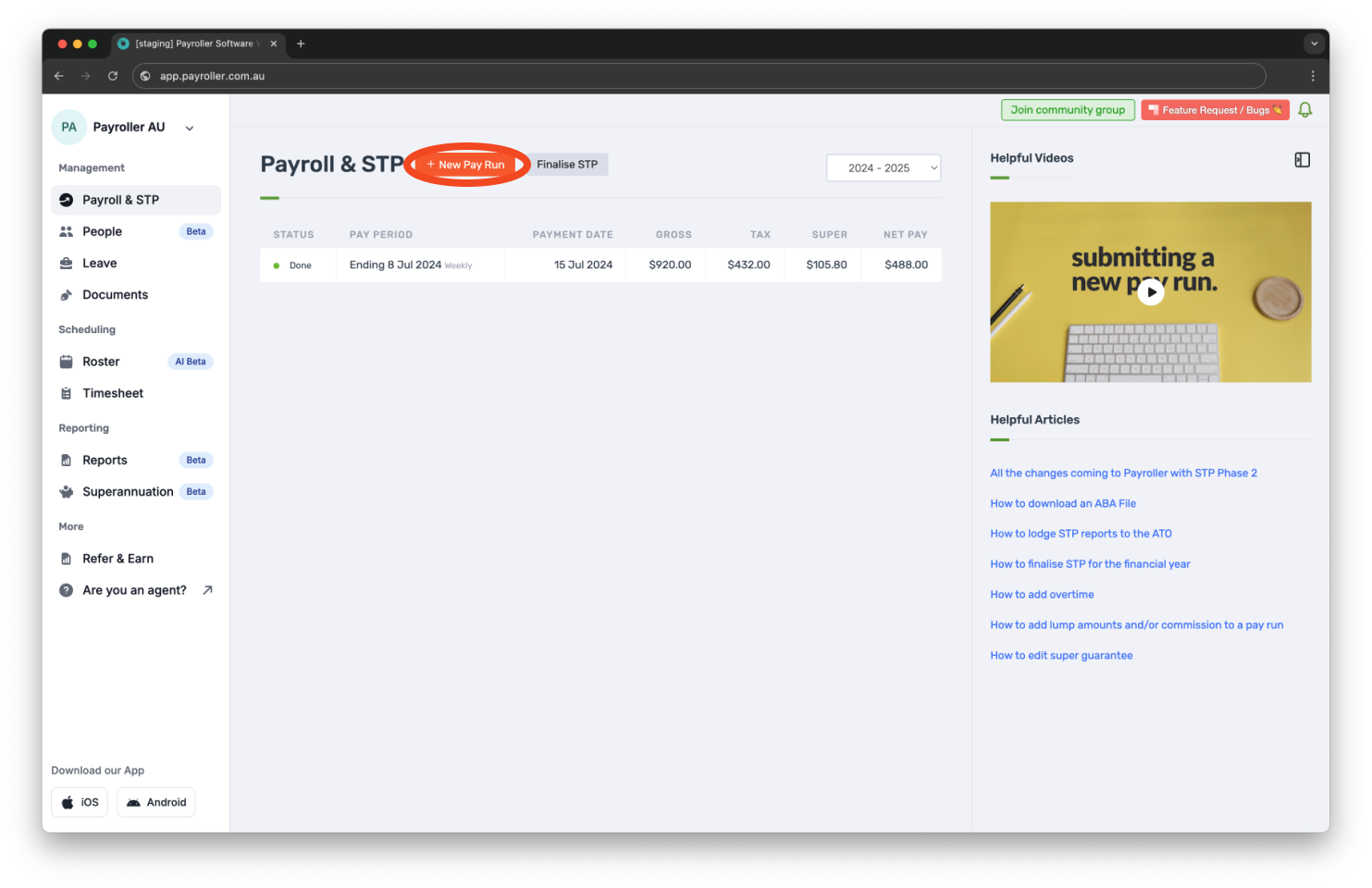
Step 2: Customise the Pay Run Period, Pay Period Ending date, and Payment Date, then click ‘Let’s Start!’ to proceed.
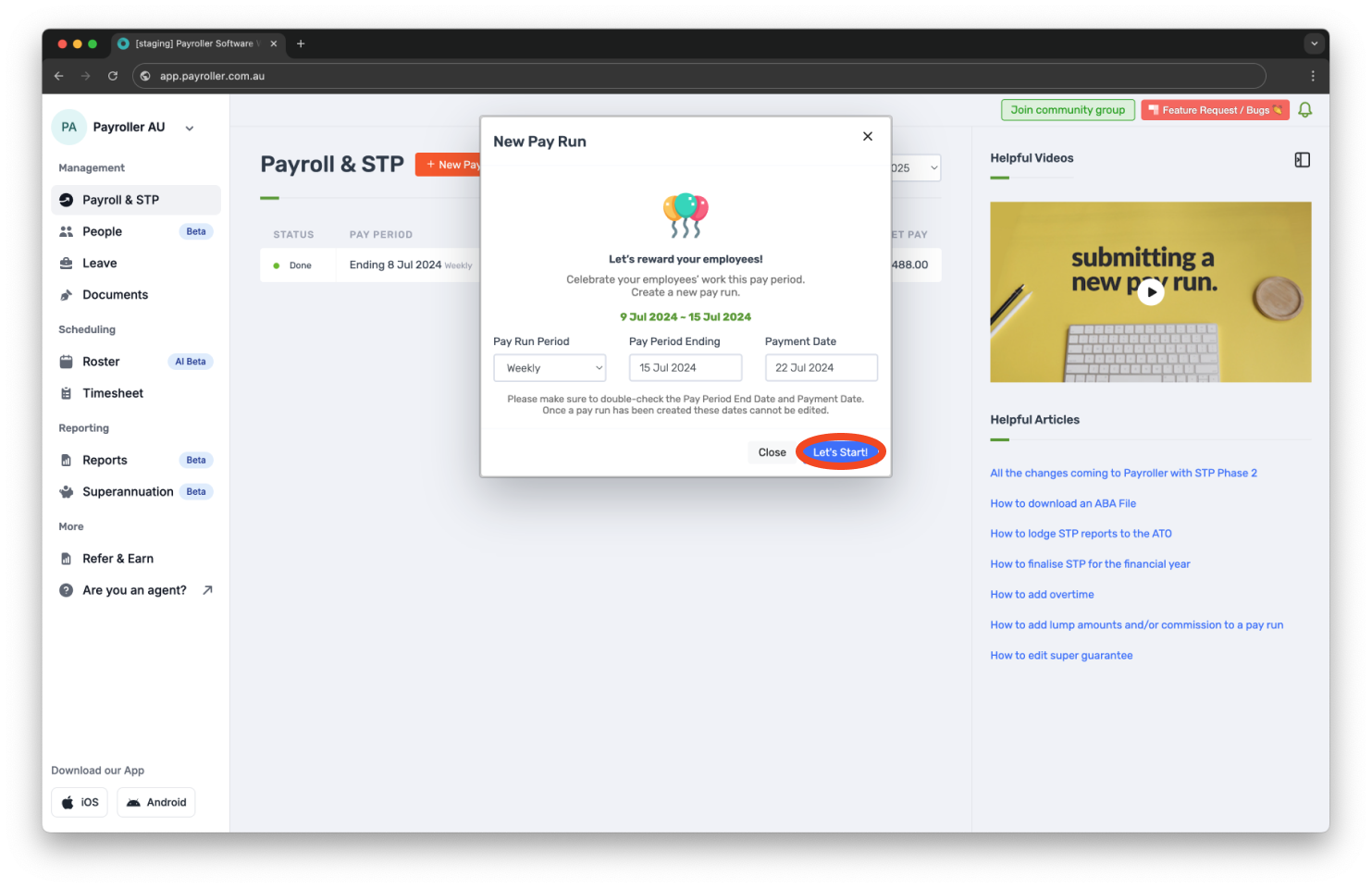
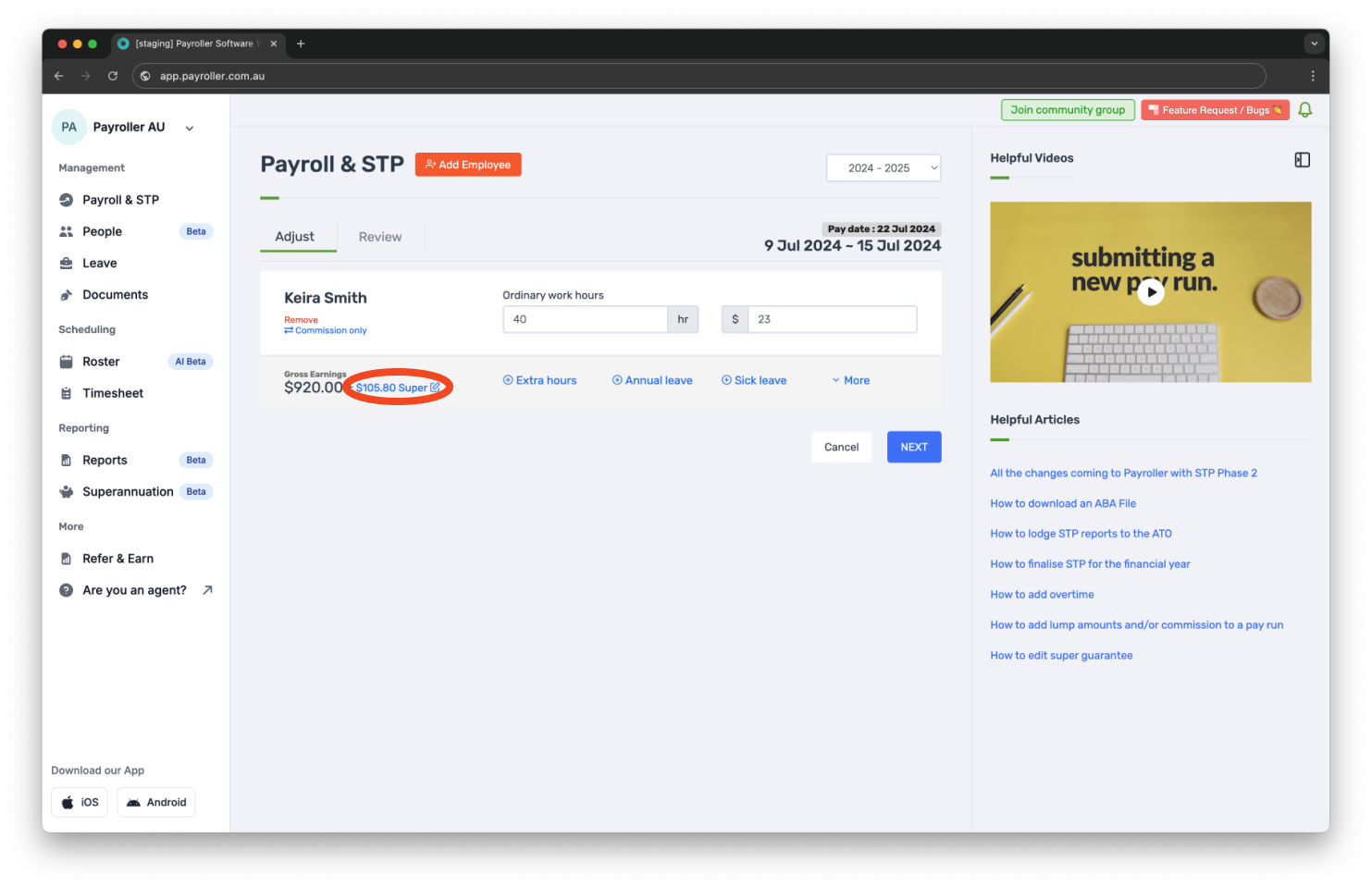
Step 3: Click on the super amount highlighted in blue.
The following pop-up will appear.
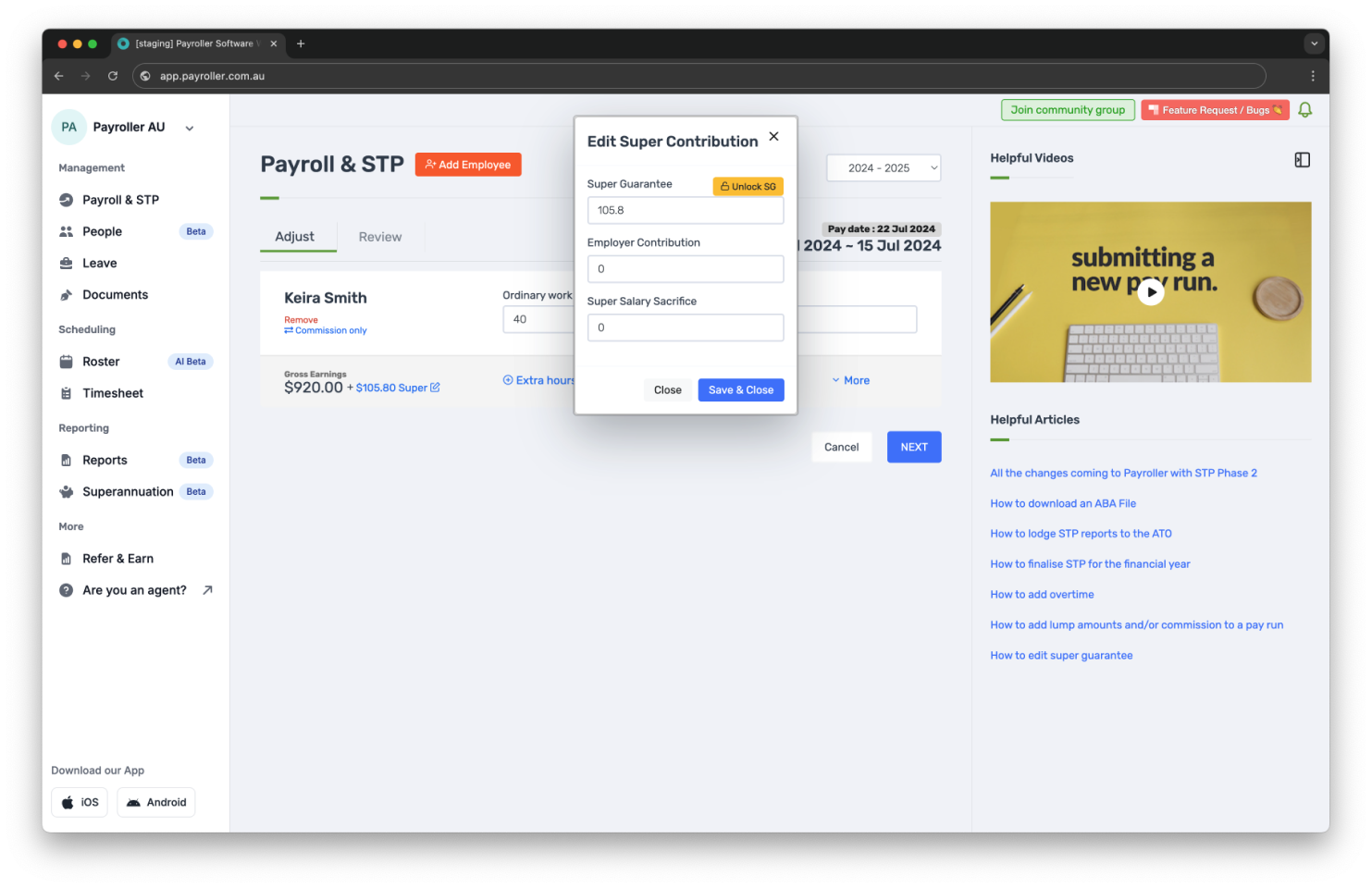
Here, you can view, add, or adjust the Super Guarantee, Employer Contribution, and Super Salary Sacrifice amounts.
Step 4: To edit the Super Guarantee, click on ‘Unlock SG’ (or ‘Manual‘ in newer versions).
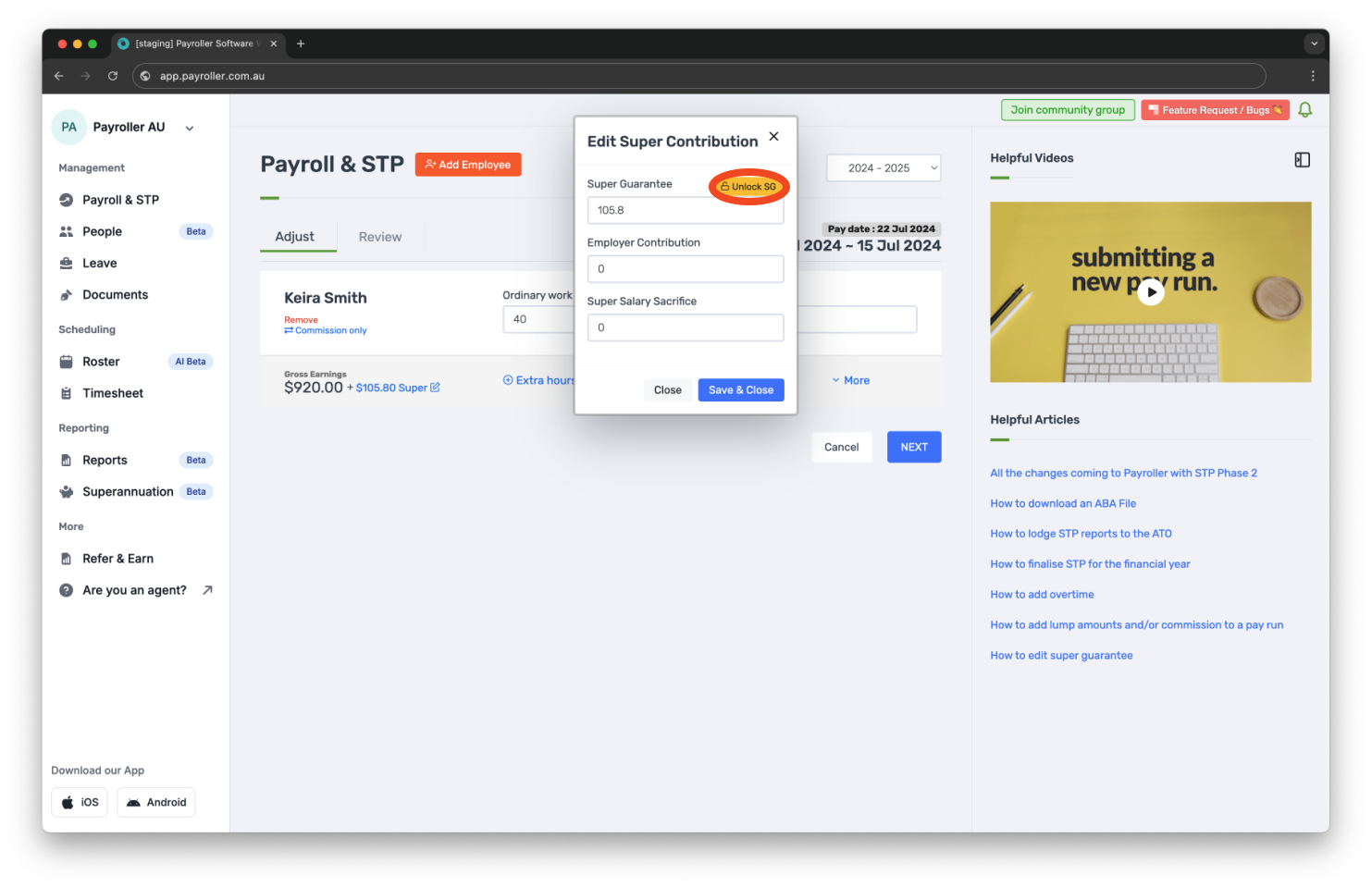
Step 5: From here, you can edit the Super Guarantee as needed. Once you’re satisfied with the amounts, click ‘Save & Close’.
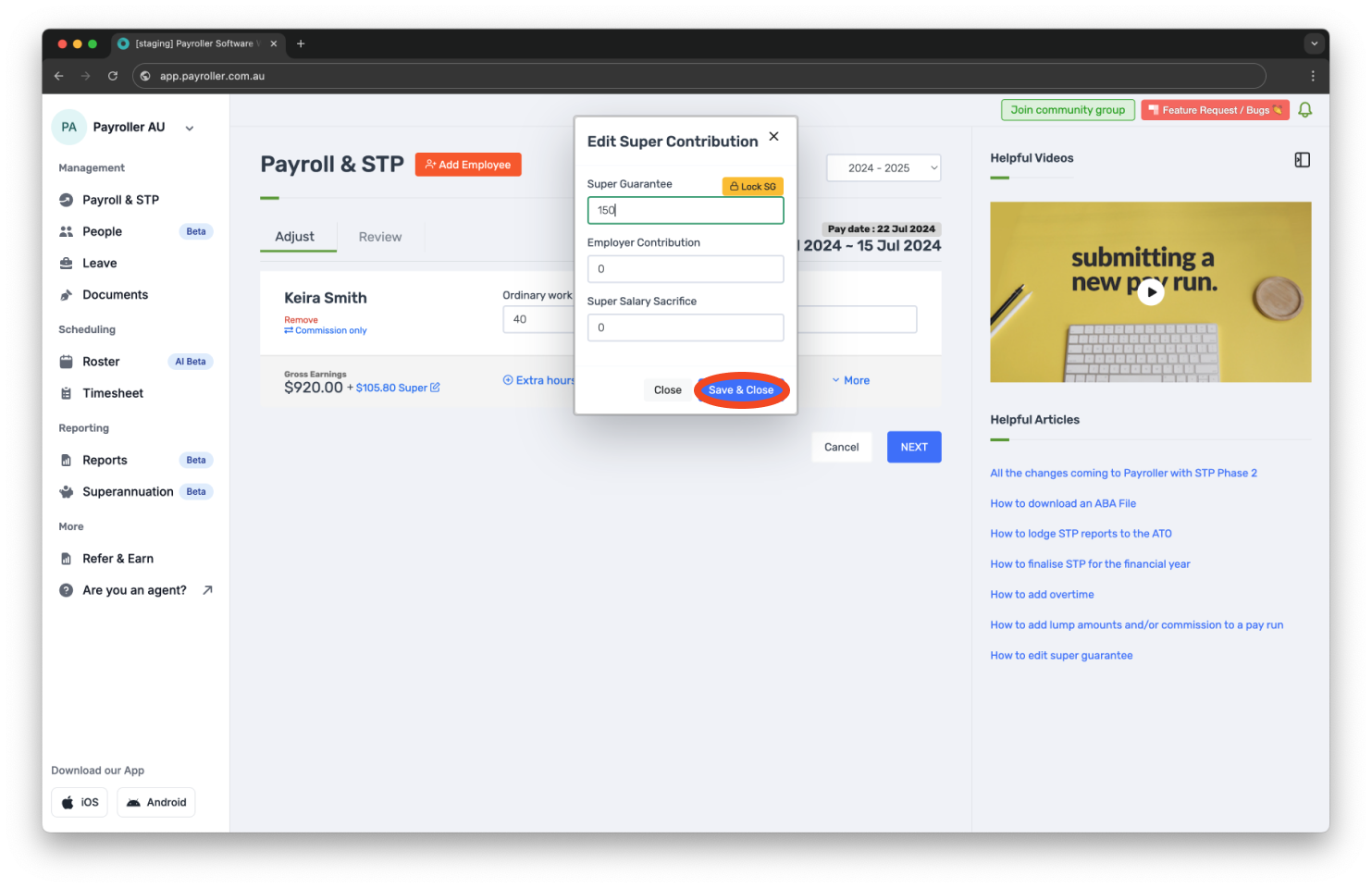
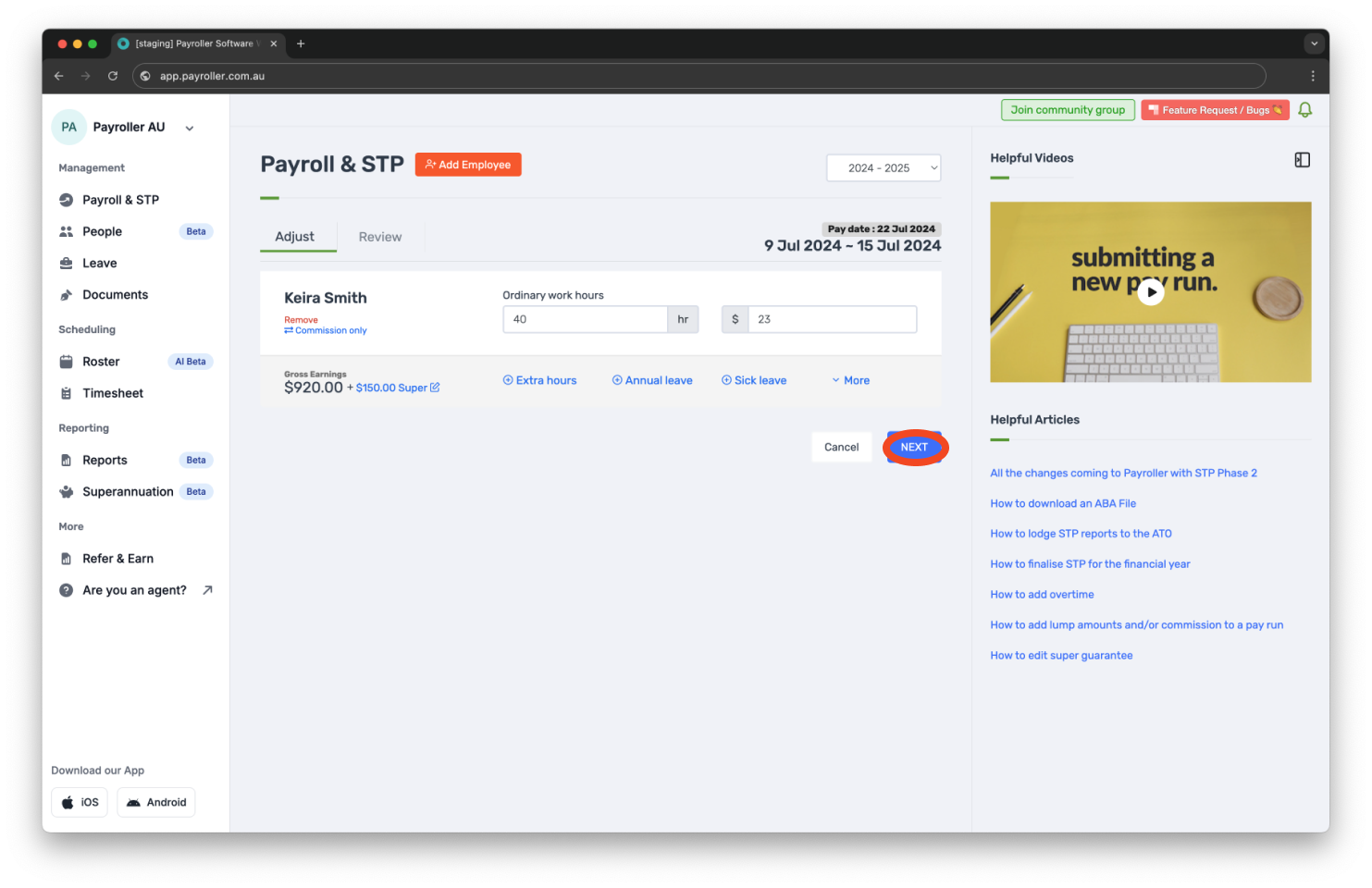
Step 6: Select ‘Next’.
Step 7: ‘Save’ the pay run.
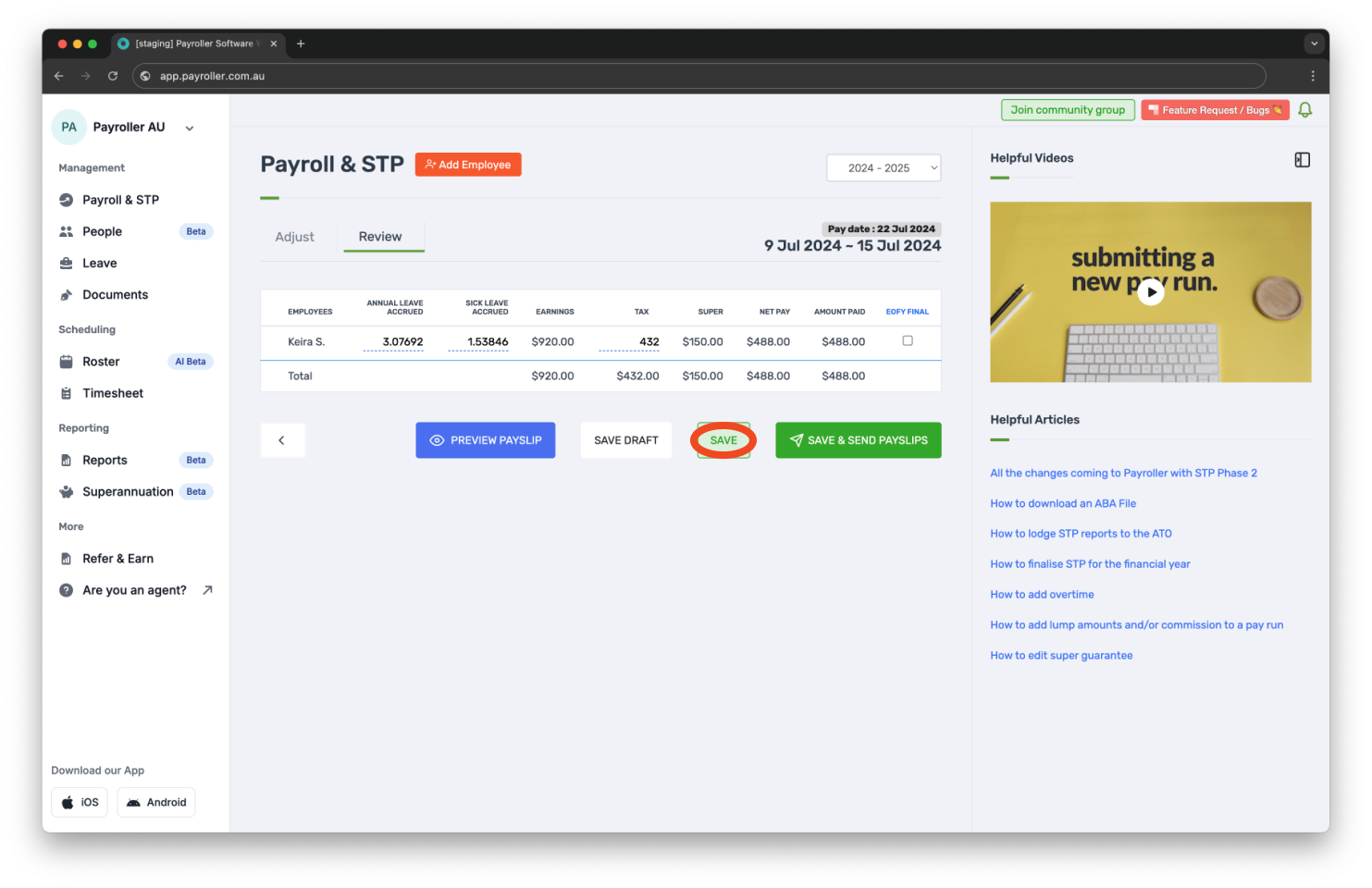
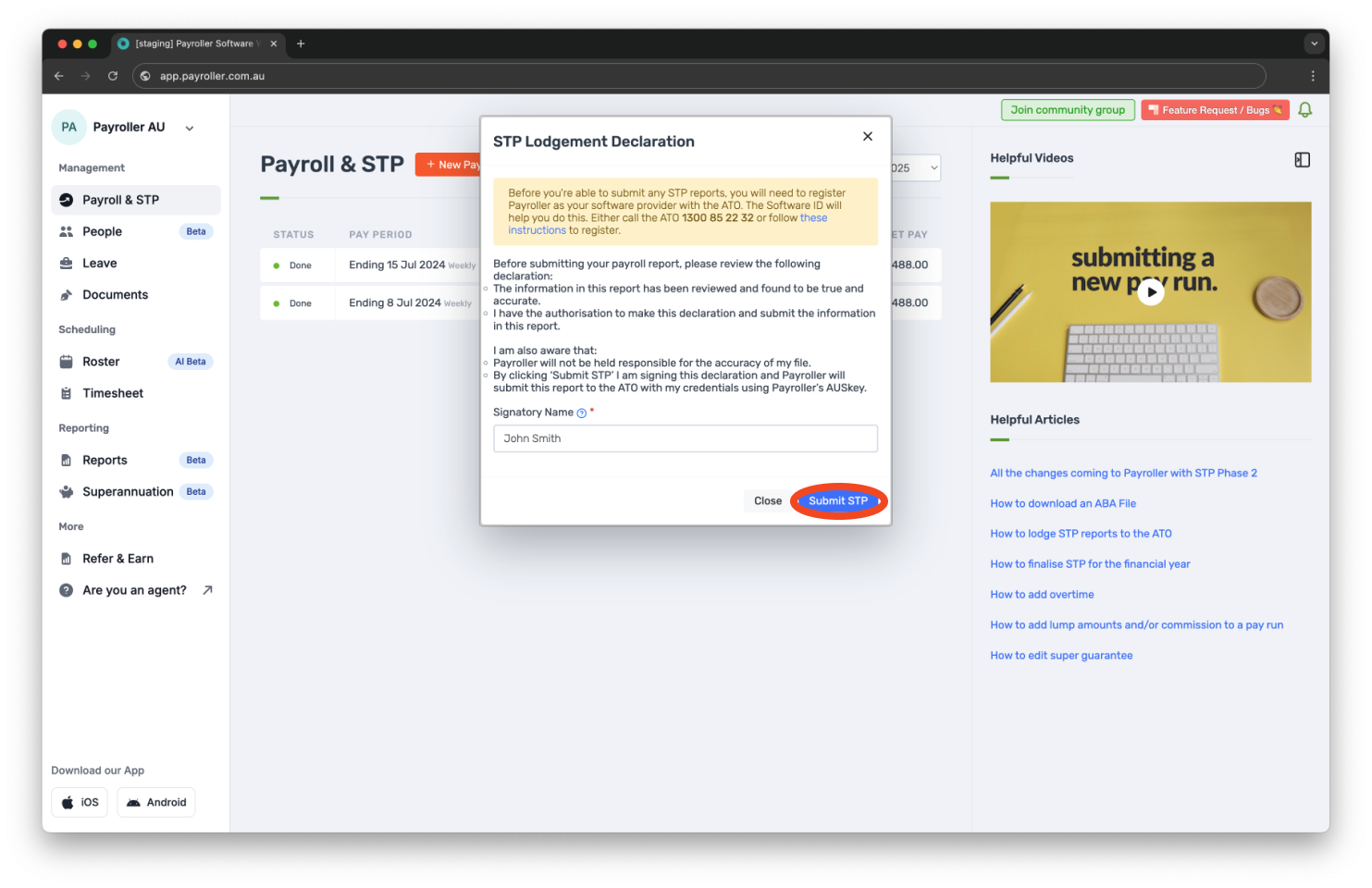
Step 8: Submit the pay run to the ATO.
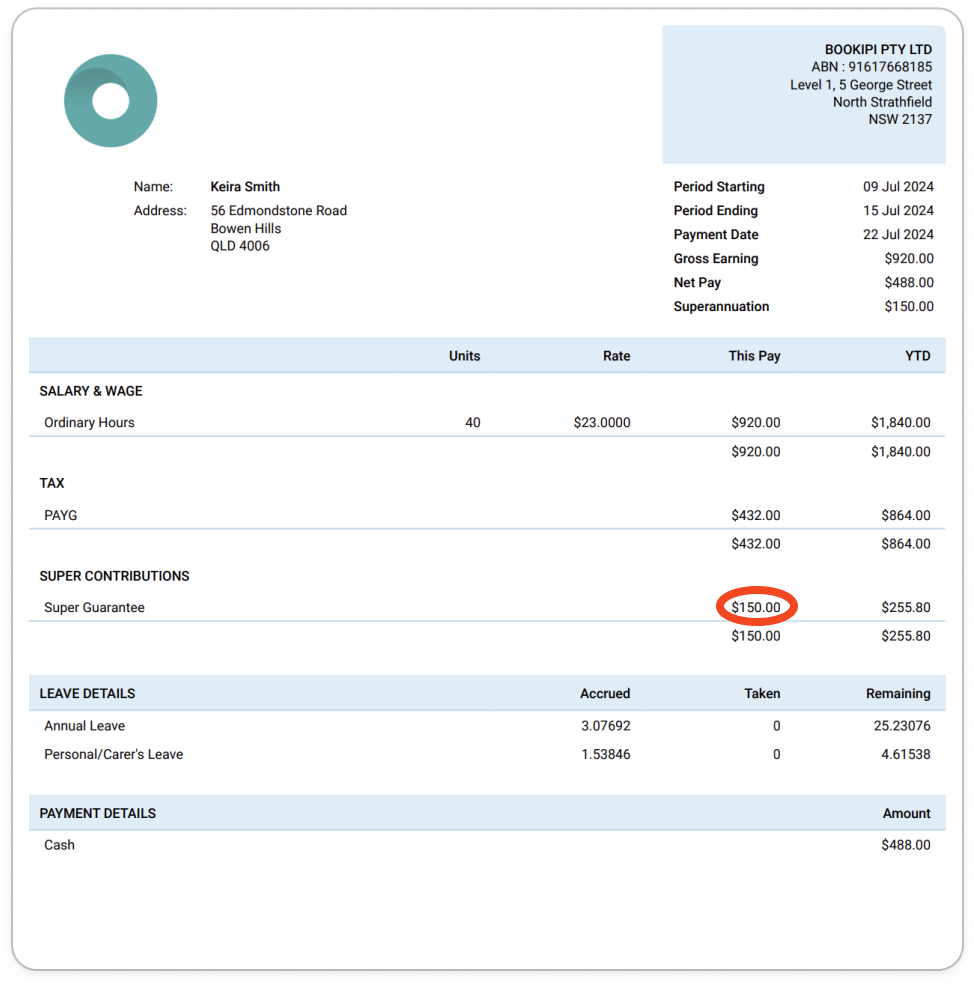
Once you’ve completed the pay run, the Super Guarantee should now appear on the employee’s payslip.
Learn how to make other changes to super contributions in Payroller with our simple guides below:
Discover more tutorials & get the most out of using Payroller
Learn more about easily creating and editing pay runs with our simple guides.
Want access to full Payroller features on web and mobile app? Sign up for a Payroller subscription for synced payroll across all devices. Read up on our Subscription FAQs.